Paylap
HRM
A comprehensive HR and payroll management platform. Features a powerful web admin dashboard, native mobile apps for employees, geo-fenced attendance, dynamic leave policies, and full multi-branch support.
Project Type
HR SaaS Platform
Status
Live in Production
Platforms
Web · iOS · Android
Core Stack
Laravel · React Native
GPS / Maps · AWS
Full Technology Stack
Production-grade frameworks and tools powering every layer of the platform, from backend API to native mobile apps.
Backend & API
Frontend
Mobile & AI
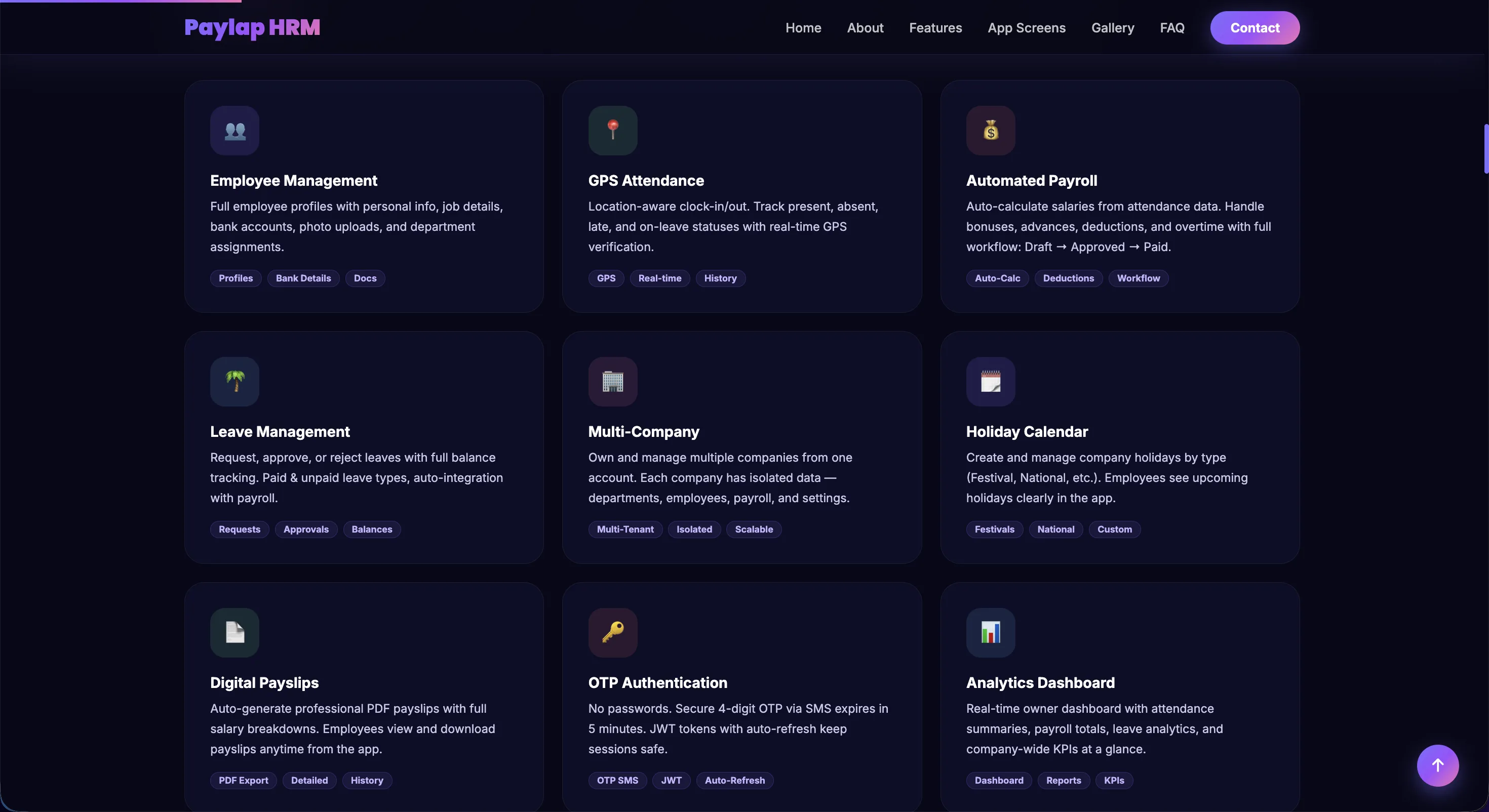
The Public Website
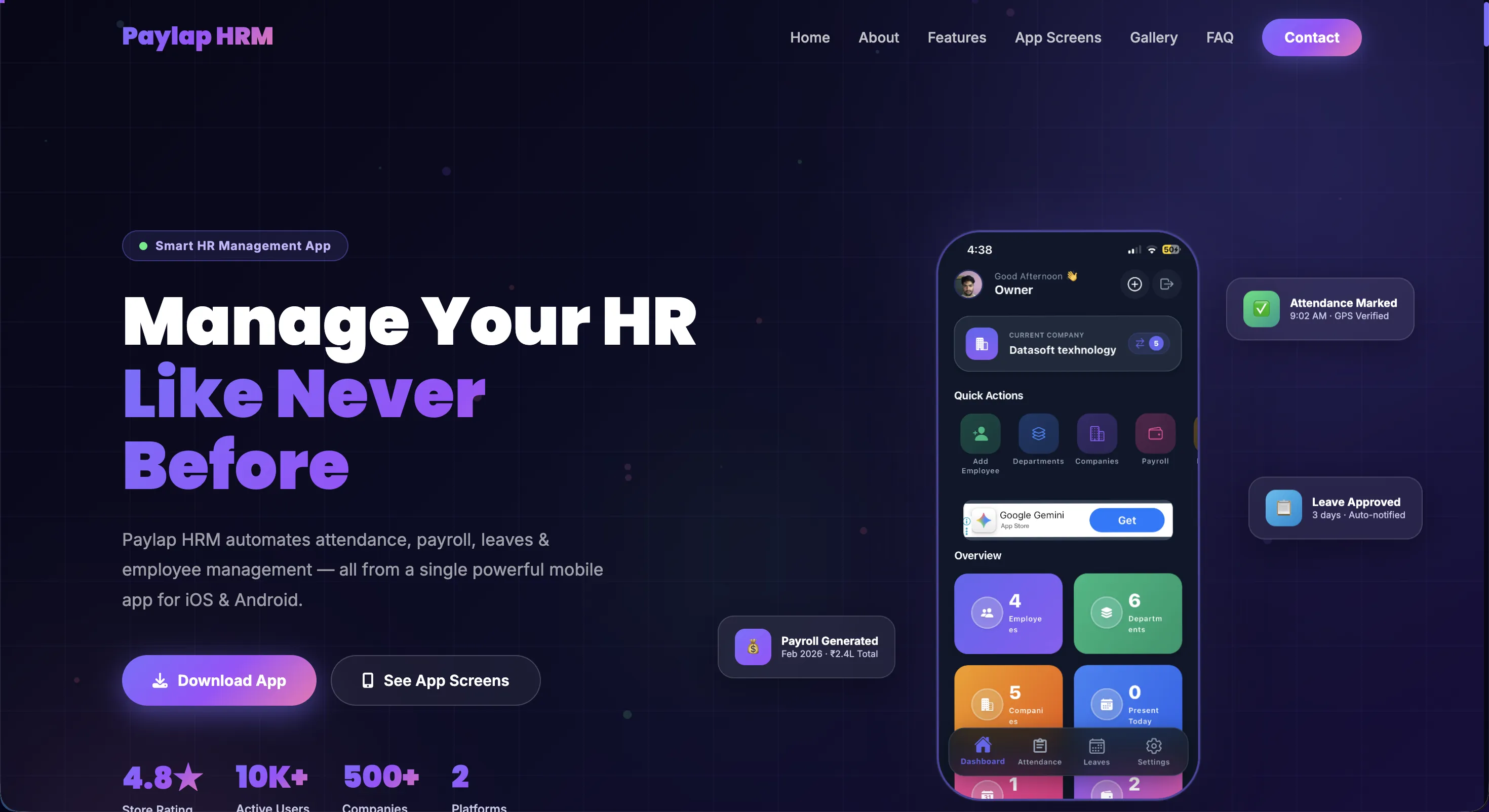
A polished marketing presence to attract enterprises and startups. Showcases the software capabilities, pricing, and robust HR features directly to prospective clients.
Marketing Landing Page
A highly engaging hero section designed to capture leads, detailing exactly how Paylap HRM simplifies the complexities of workforce management.
Value-Driven Hero
Clear messaging focusing on automation, employee self-service, and compliance.
Dual Conversion CTAs
"Get Started" and "Watch Demo" buttons placed prominently to capture both ready buyers and curious visitors.
Portal Access
Sticky navigation with a direct login button for existing customers.
Core Features Showcase
Visual breakdown of top-tier HR features like attendance tracking, leave requests, and document handling, instantly answering the prospect's needs.
Time & Attendance
Highlighting geo-fenced check-ins and automated timesheets.
Leave & Holiday Management
Automated leave balances, multi-tier approvals, and team calendars.
Automated Payroll
One-click payroll generation and digital PDF payslips.
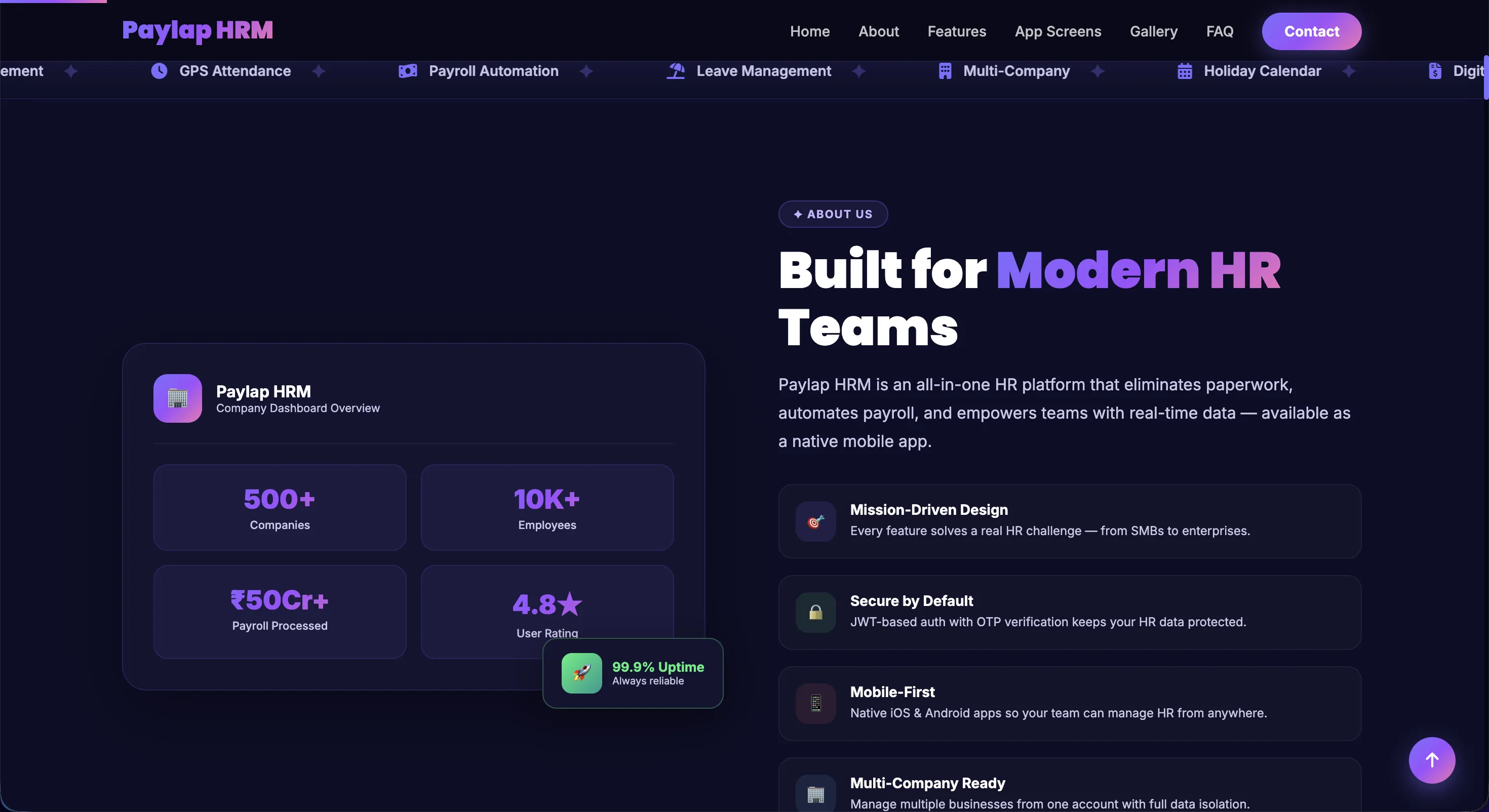
Why Choose Paylap HRM?
A deep dive into platform reliability, focusing on data security, scalability for multi-branch organizations, and seamless integration capabilities.
Enterprise-Grade Security
Employee data is protected with end-to-end encryption and compliance standards.
Scalable Architecture
Built to grow from 10 to 10,000+ employees across multiple global branches.
Dedicated Support
Round-the-clock expert support paired with deep analytics to continuously optimise HR operations.
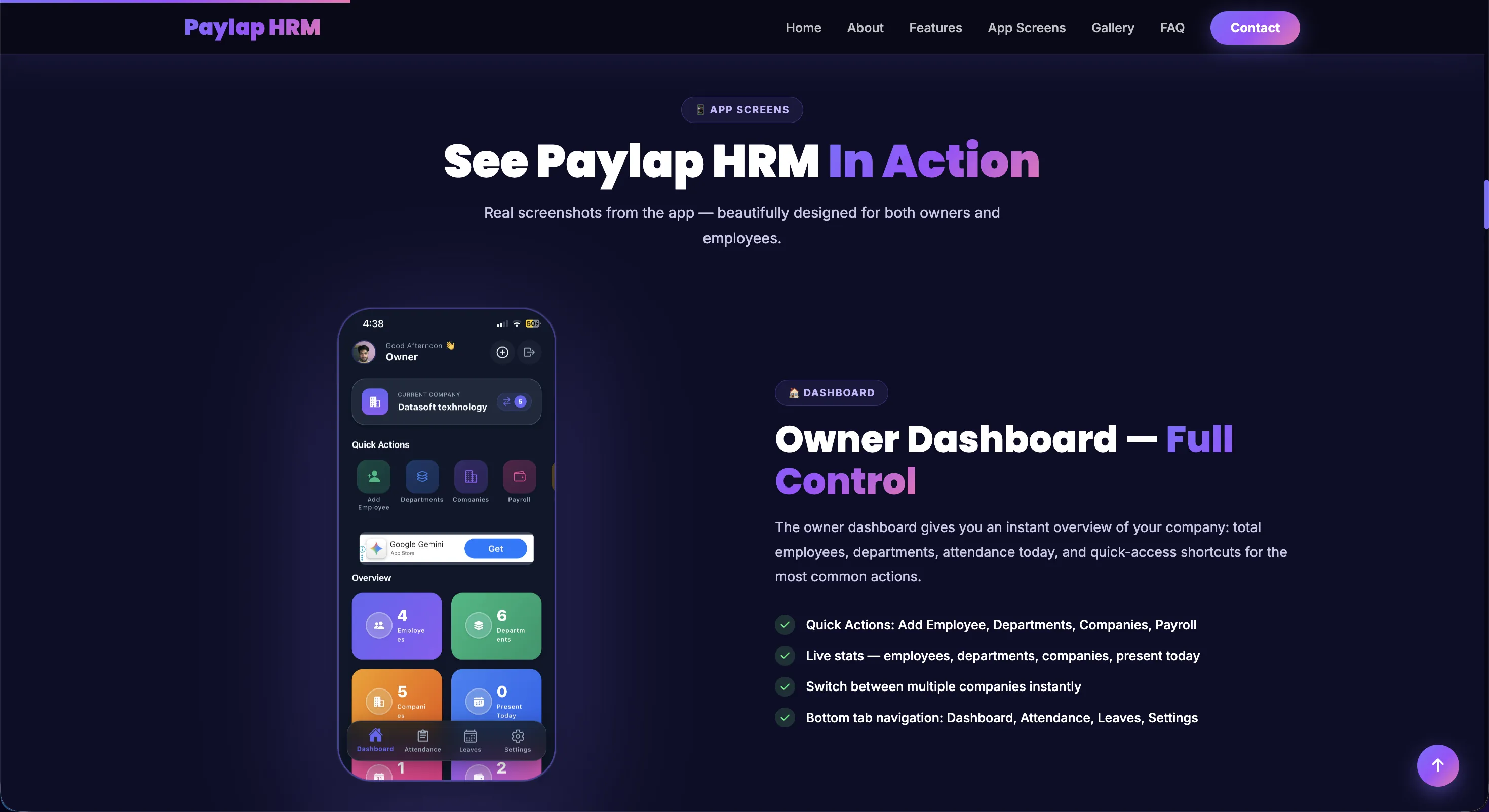
App Screens In Action
A dedicated website section showcasing real app screenshots embedded in the marketing site, demonstrating the Owner Dashboard with quick actions, live stats, and intuitive navigation to prospects.
Owner Dashboard Preview
Showcases the owner's home screen with quick actions and real-time company overview stats.
Feature-by-Feature Walkthrough
Each screen is highlighted with clear bullet points explaining its key capabilities to prospects.
Visual Trust Building
Real app screenshots remove uncertainty and build confidence in the platform's UI quality.
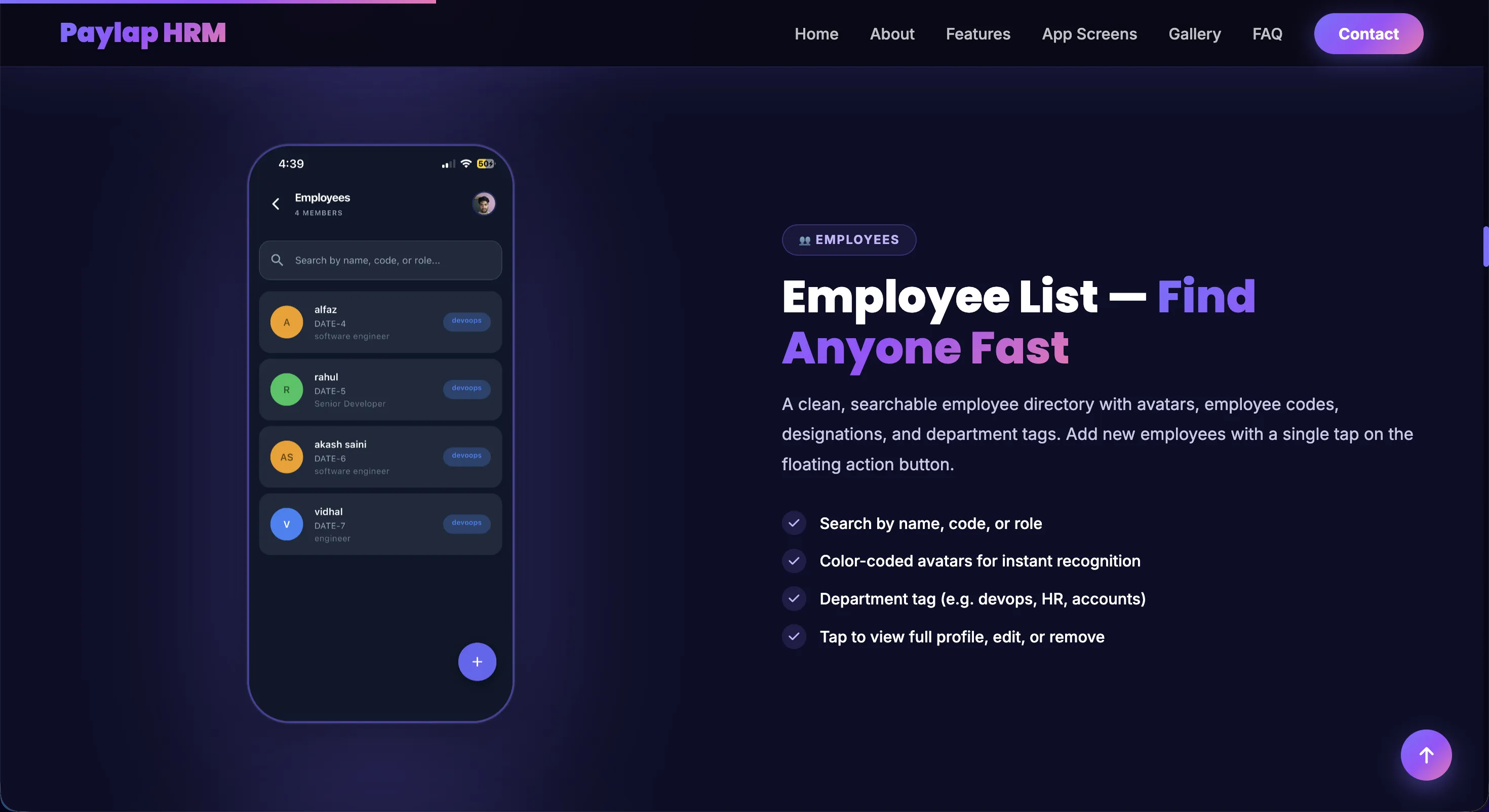
Employee List, Find Anyone Fast
A feature highlight section on the marketing site showcasing the mobile employee directory, with real app screenshots and clear bullet points demonstrating search, avatars, department tagging, and quick add.
Visual Feature Proof
Real app screenshots of the searchable employee list build instant confidence with prospects.
Key Capabilities Listed
Bullet points explain search by name/code/role, color-coded avatars, and department tag features.
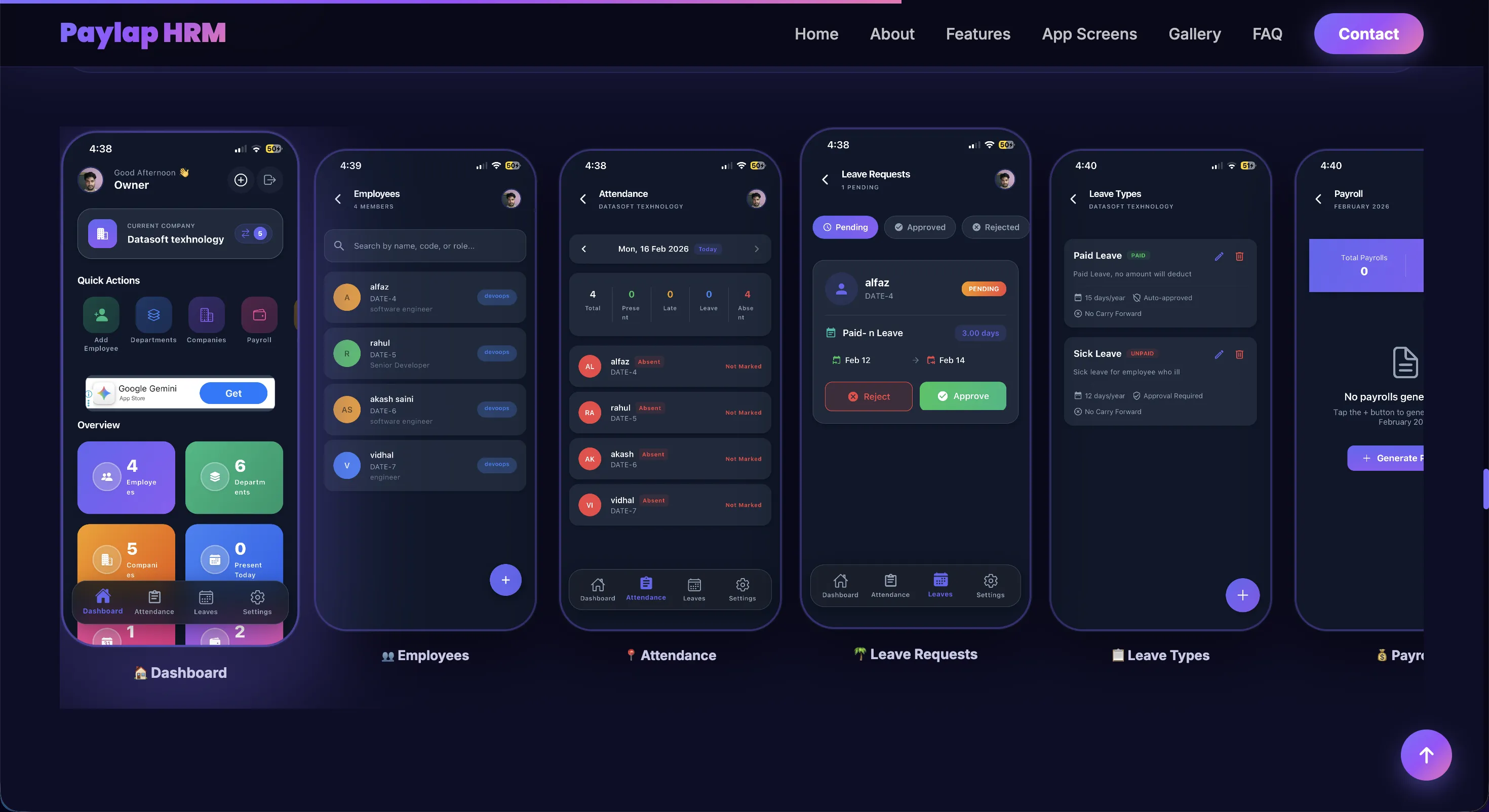
App Screens Gallery
A horizontal multi-screen showcase on the marketing site displaying all key app modules, Dashboard, Employees, Attendance, Leave Requests, Leave Types, and Payroll, giving prospects a full visual tour before downloading.
All Modules at a Glance
Every major feature screen displayed together for a comprehensive product overview in one view.
Real App Screenshots
Actual in-app screens, not mockups, showing real data flows and UI quality to build trust.
Full Feature Coverage
From dashboard to payroll, every screen proves the platform handles the complete HR workflow.
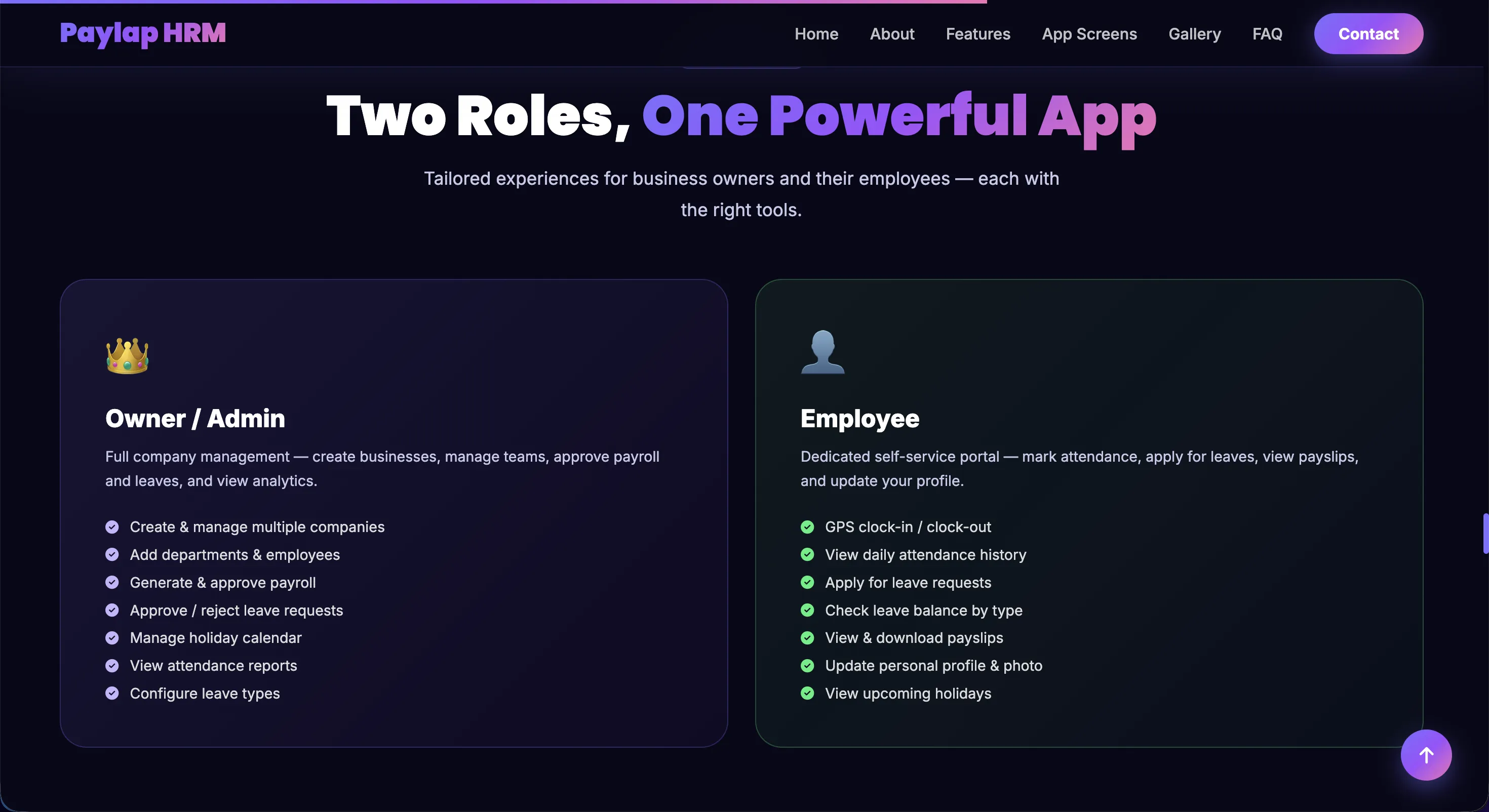
Two Roles, One Powerful App
The marketing site clearly communicates the dual-role model, showing exactly what Owner/Admin users and Employees can do, so every type of prospect instantly understands their value.
Owner / Admin Capabilities
Full company management, add employees, manage departments, approve payroll, configure leave types, and view analytics.
Employee Self-Service
GPS clock-in, attendance history, leave requests, payslip downloads, and personal profile updates.
Role-Specific Access
Each role sees only what they need, clean, focused, and secure with no feature overlap.
Admin & HR Dashboard
Built with React JS and Laravel, The command center for HR professionals and management. Oversee attendance, approve leaves, manage documents, and run comprehensive reports.
HR Executive Dashboard
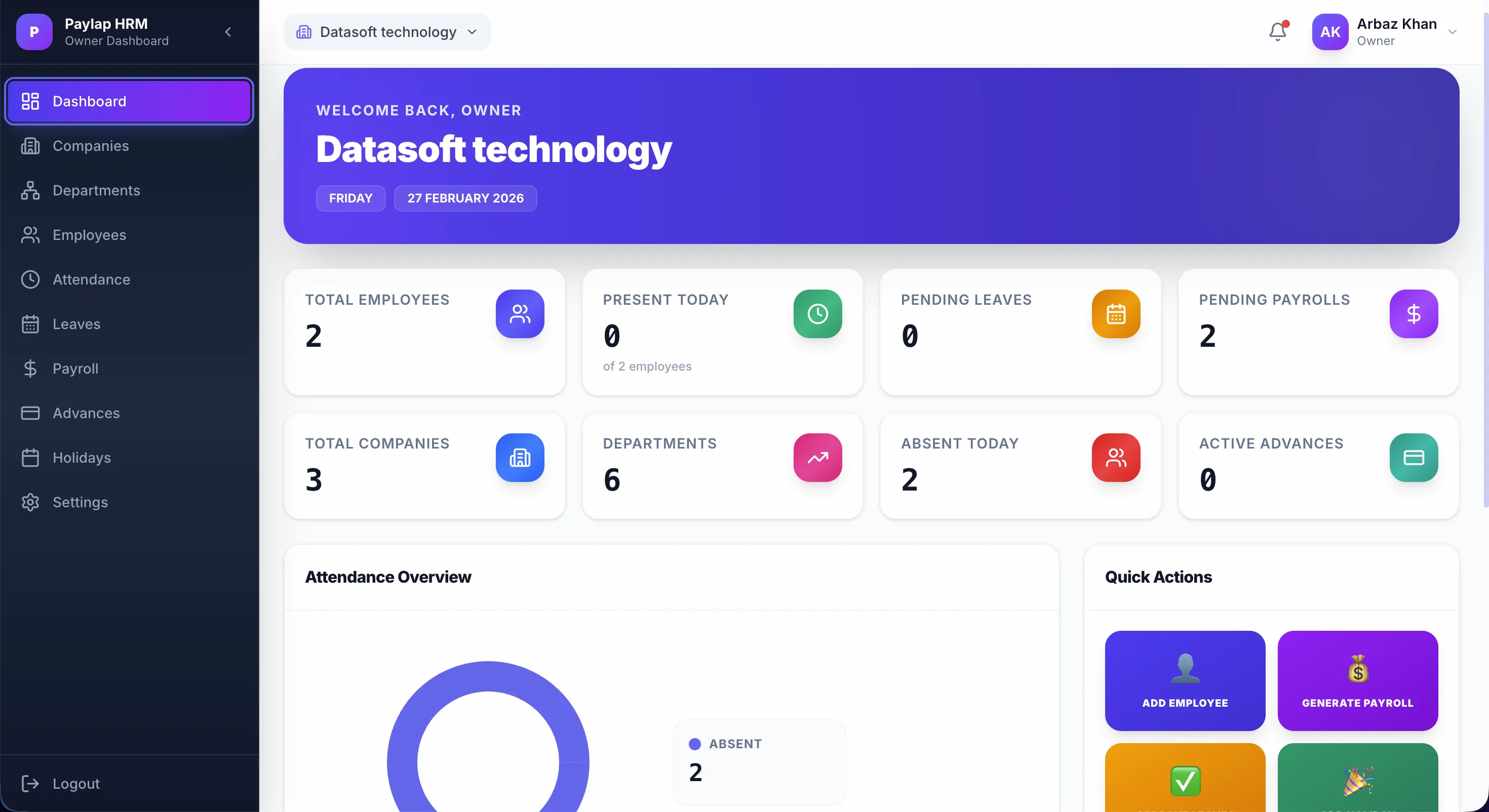
Get a pulse on the entire workforce instantly. Live data on today's attendance, pending leave requests, active advances, and departments all centralized.
Live Attendance Snapshot
See who is Present, Absent, or on Leave in real-time widgets.
Actionable Alerts
Quick links to pending leaves, pending payrolls, and active advances.
Quick Actions Menu
Instantly jump to "Add Employee" or "Generate Payroll" directly from the dashboard.
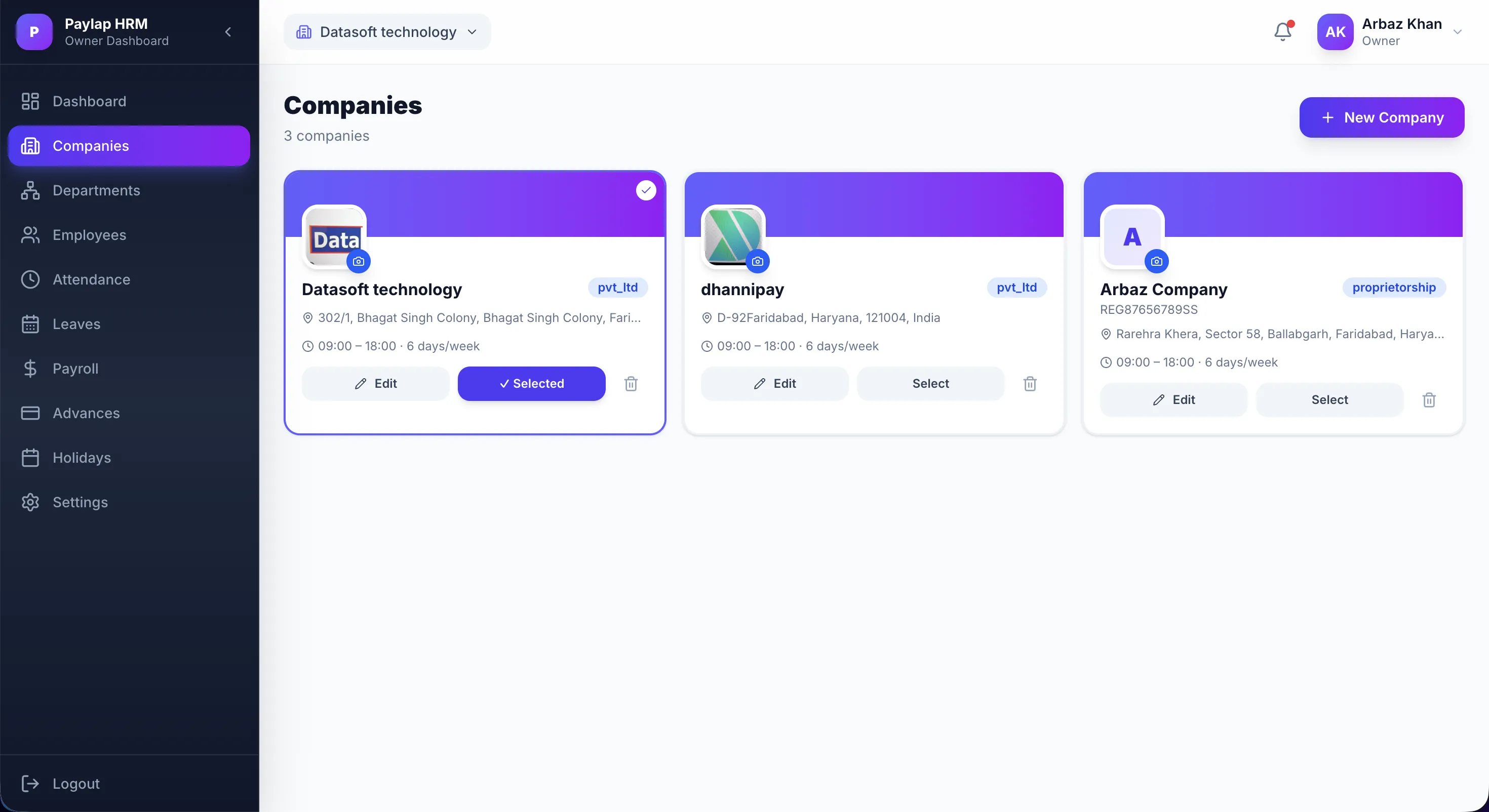
Multi-Company Management
Manage multiple companies or branches from a single account. Switch contexts instantly to view isolated employee data, attendance records, and settings for that specific entity.
Unlimited Branches
Create and manage multiple corporate entities or branch locations from one account.
Data Isolation
Employee data, leaves, and payrolls are strictly isolated per company context.
Instant Context Switcher
Global dropdown to swap between companies without needing to log out.
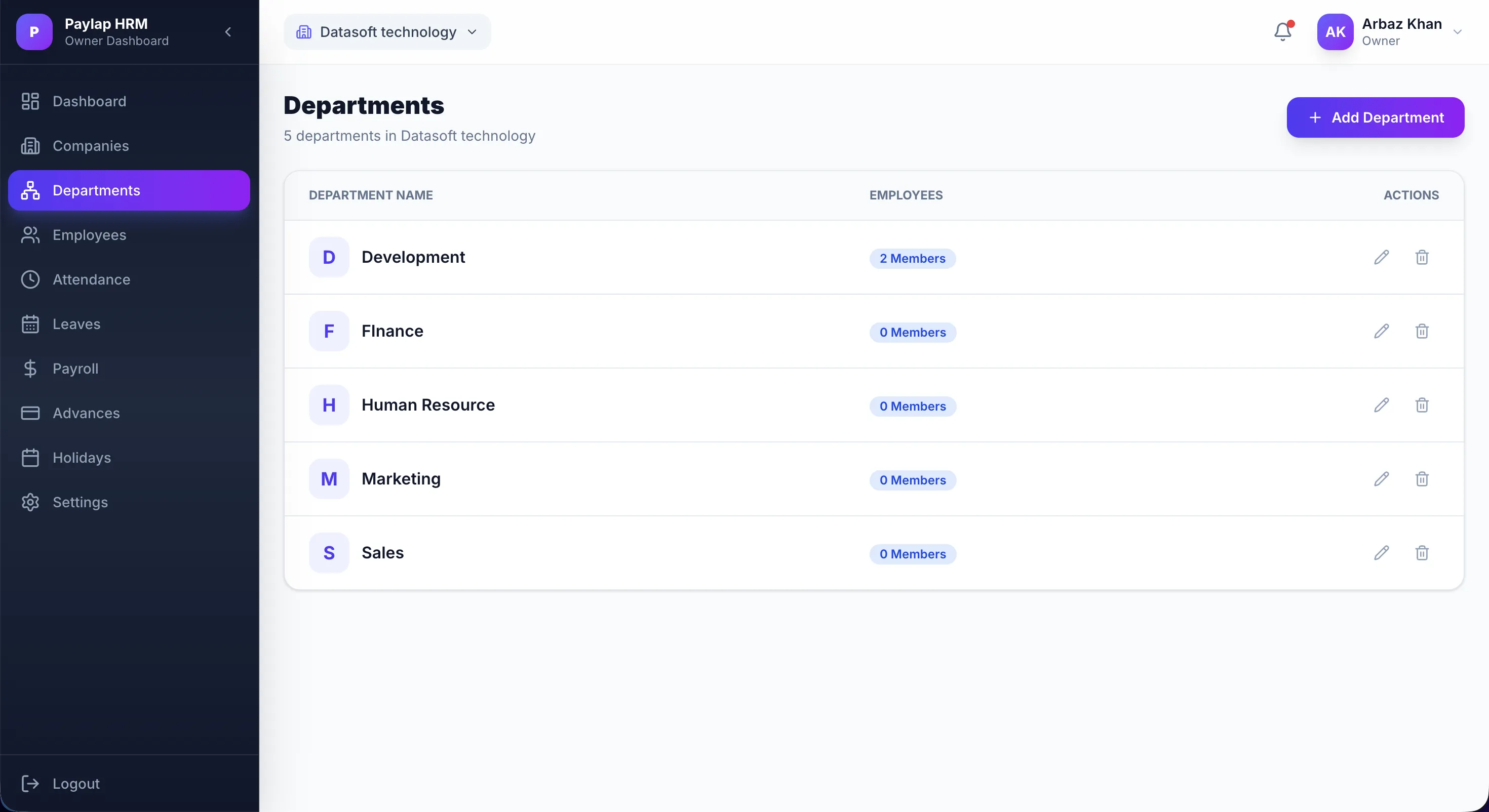
Department Management
Organize your entire company structure with full department control. Create, edit, and manage departments while viewing team member counts and taking quick actions from a clean listing view.
Department Overview
View all departments with their member count and perform quick edit or delete actions in one place.
Company-Scoped Structure
Departments are isolated per company, ensuring clean data separation across multi-branch setups.
Instant Department Creation
Add new departments instantly using the "Add Department" button directly from the listing page.
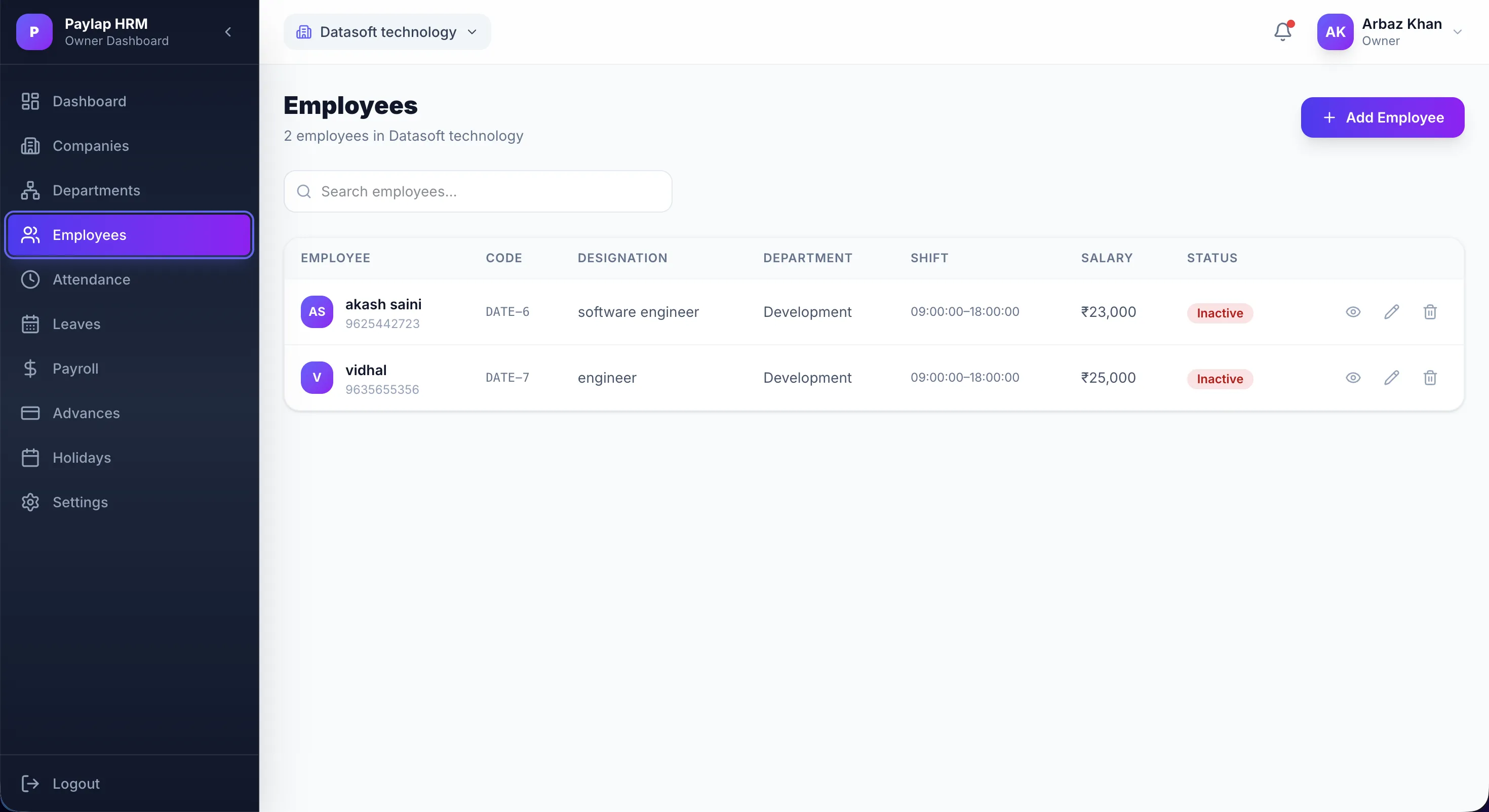
Employee Directory
A centralized list of all employees with key information visible at a glance. Search, filter, and manage every team member, from their designation and department to shift timings, salary, and active status.
Quick Search & Filter
Instantly find employees by name, code, designation, or department using the search bar.
Key Info at a Glance
Each row shows employee code, designation, department, shift timings, salary, and active/inactive status.
Add Employee
Onboard new hires directly from this page using the "Add Employee" button for a streamlined workflow.
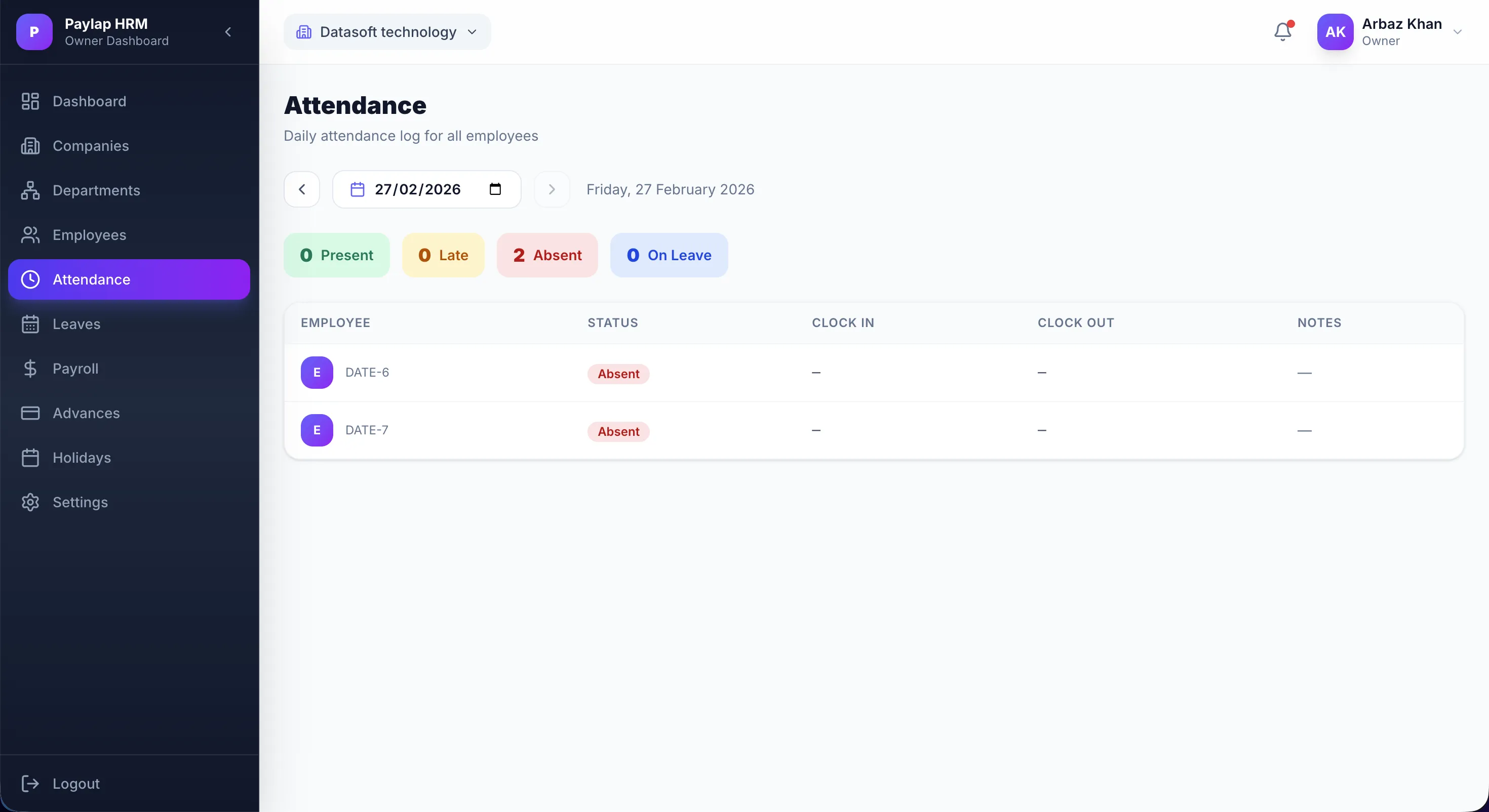
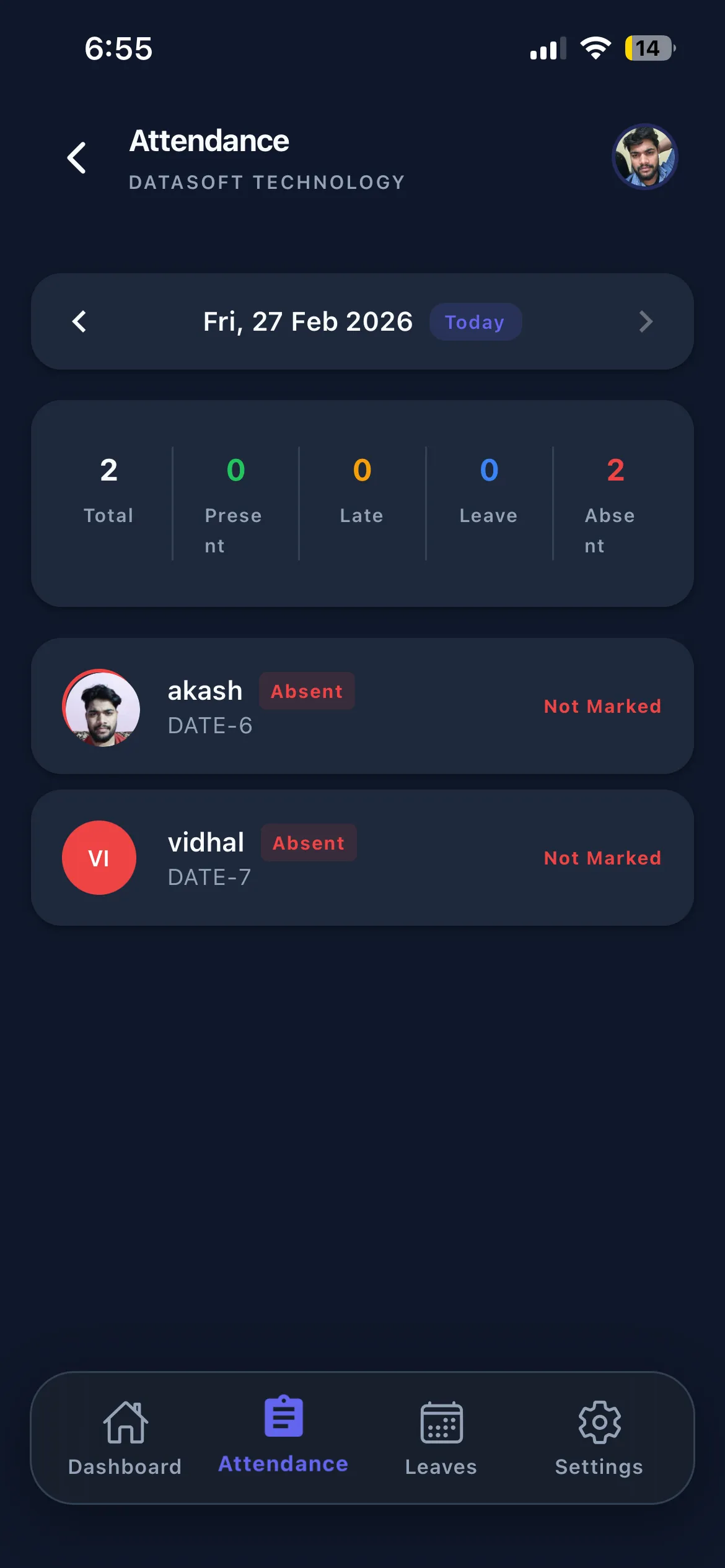
Daily Attendance Tracking
Monitor daily clock-ins and clock-outs for every employee. Instantly see who is Present, Late, Absent, or On Leave, with exact check-in and check-out times recorded for the entire organization.
Daily Attendance Log
A full-day log showing each employee's clock-in, clock-out time, and attendance notes in one view.
Status Summary
Color-coded summary tiles show the total count of Present, Late, Absent, and On Leave employees at a glance.
Date-Based Navigation
Jump to any date using the date picker to review historical attendance records effortlessly.
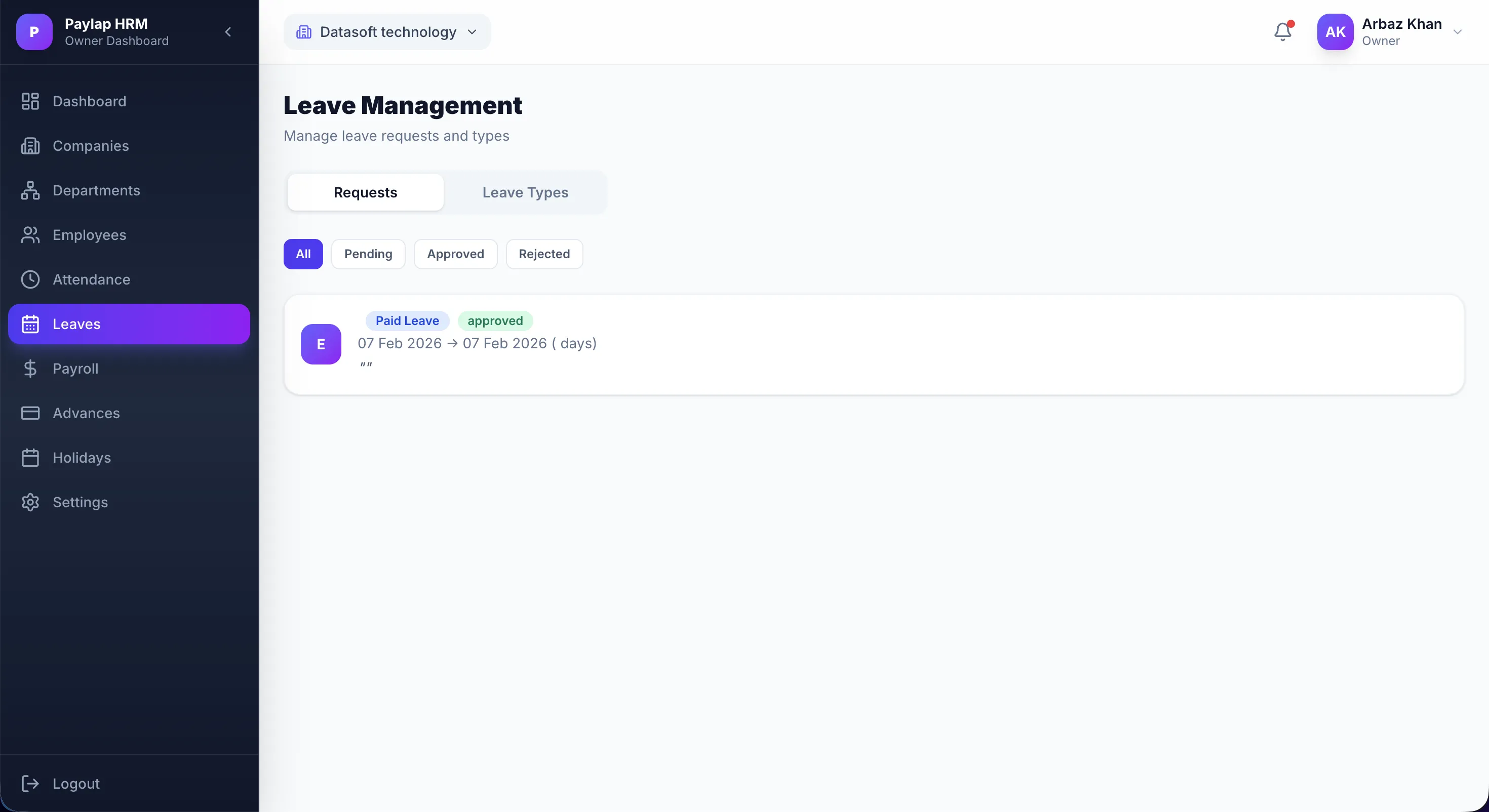
Leave & Holiday Management
Centralized leave request processing with full approval workflow. View all submitted requests with leave type, date range, and status, and take action on pending applications with complete visibility.
Leave Requests Board
Review all submitted leave requests showing leave type, date range, and current approval status.
Approval Workflow
Approve or reject employee applications with full context, leave type, duration, and reason visible upfront.
Status & Type Filtering
Switch between Requests and Leave Types tabs, and filter by Pending, Approved, or Rejected statuses.
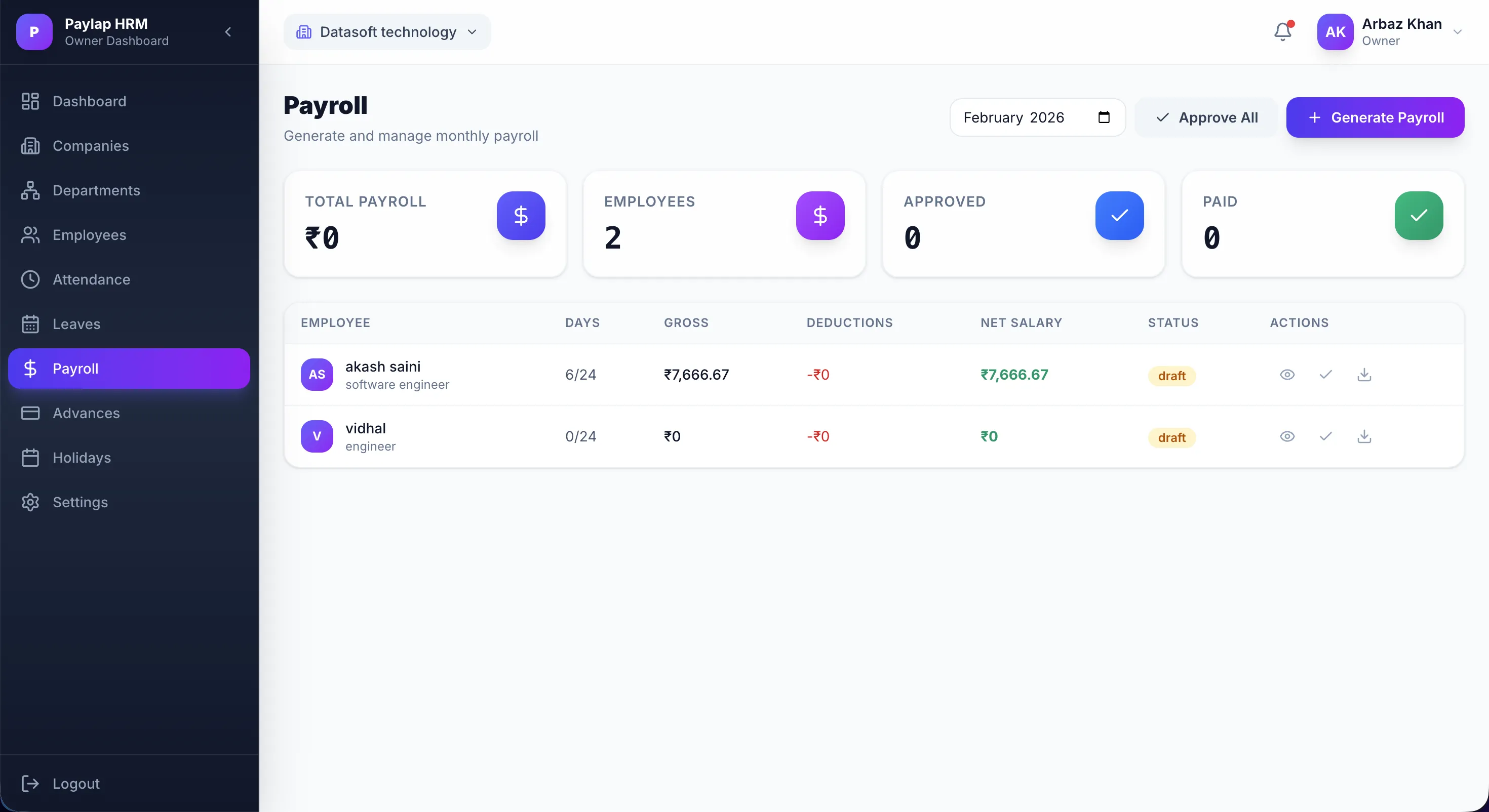
Automated Payroll Generation
Transform days of payroll work into minutes. Calculate salaries for all employees based on attendance, approved leaves, and basic pay structures, then generate and approve payroll in one click.
Auto-Calculation Engine
Automatically computes gross salary, deductions, and net payable amount for each employee.
Bulk Approve All
Review all payroll entries and bulk-approve the entire month's payroll with a single click.
Digital Payslips
Generate professional, downloadable PDF payslips for every employee instantly after approval.
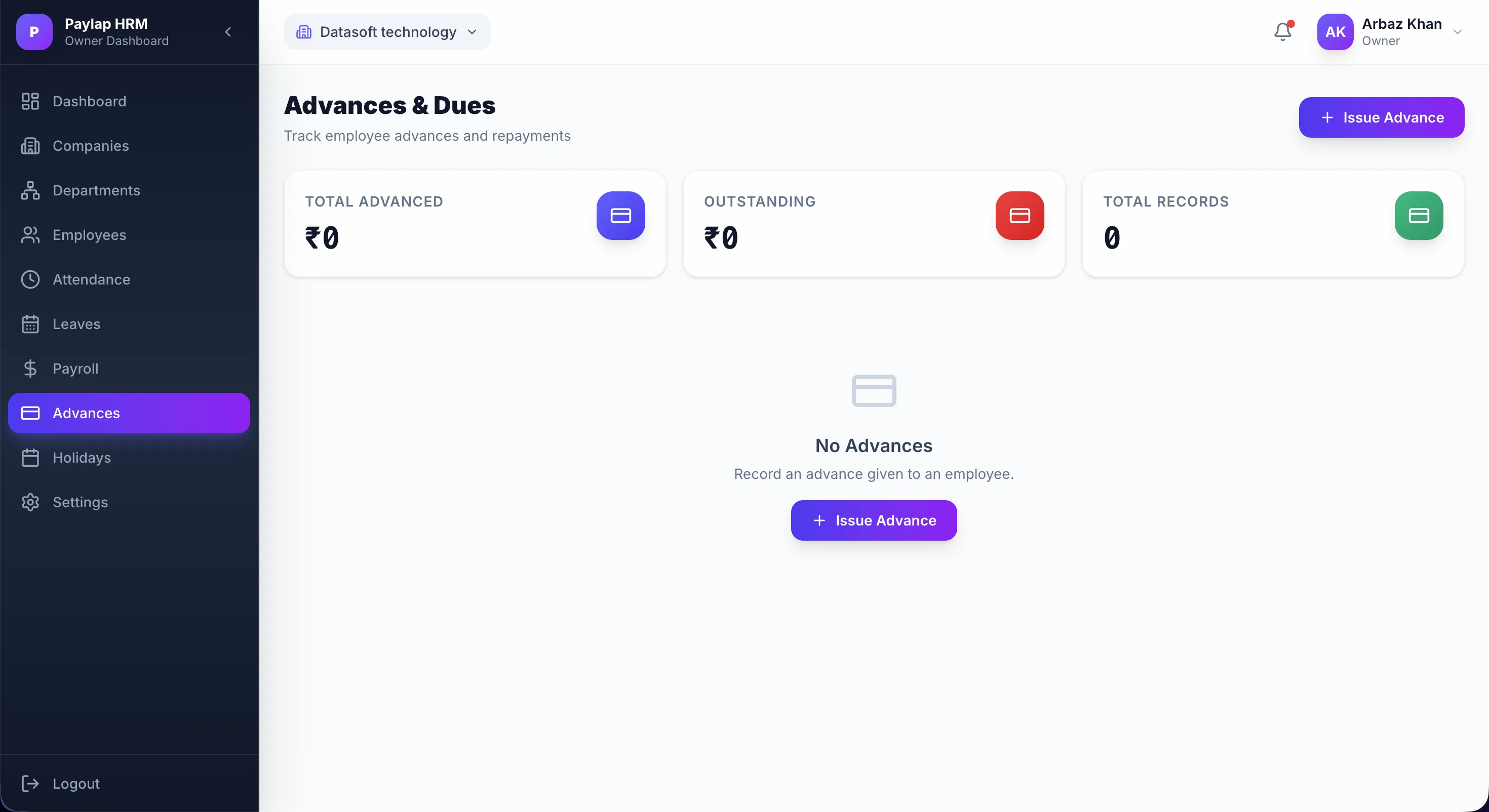
Salary Advances & Loans
Manage employee financial requests gracefully. Track total advances issued, outstanding dues, and the full advance history, and disburse new advances directly from the dashboard.
Advances Overview
View Total Advanced, Outstanding amount, and Total Records at a glance on the advances dashboard.
Issue Advance
Quickly disburse new advances to specific employees using the "Issue Advance" action.
Auto-Deduction Integration
Approved advances are automatically deducted from upcoming payrolls until fully repaid.
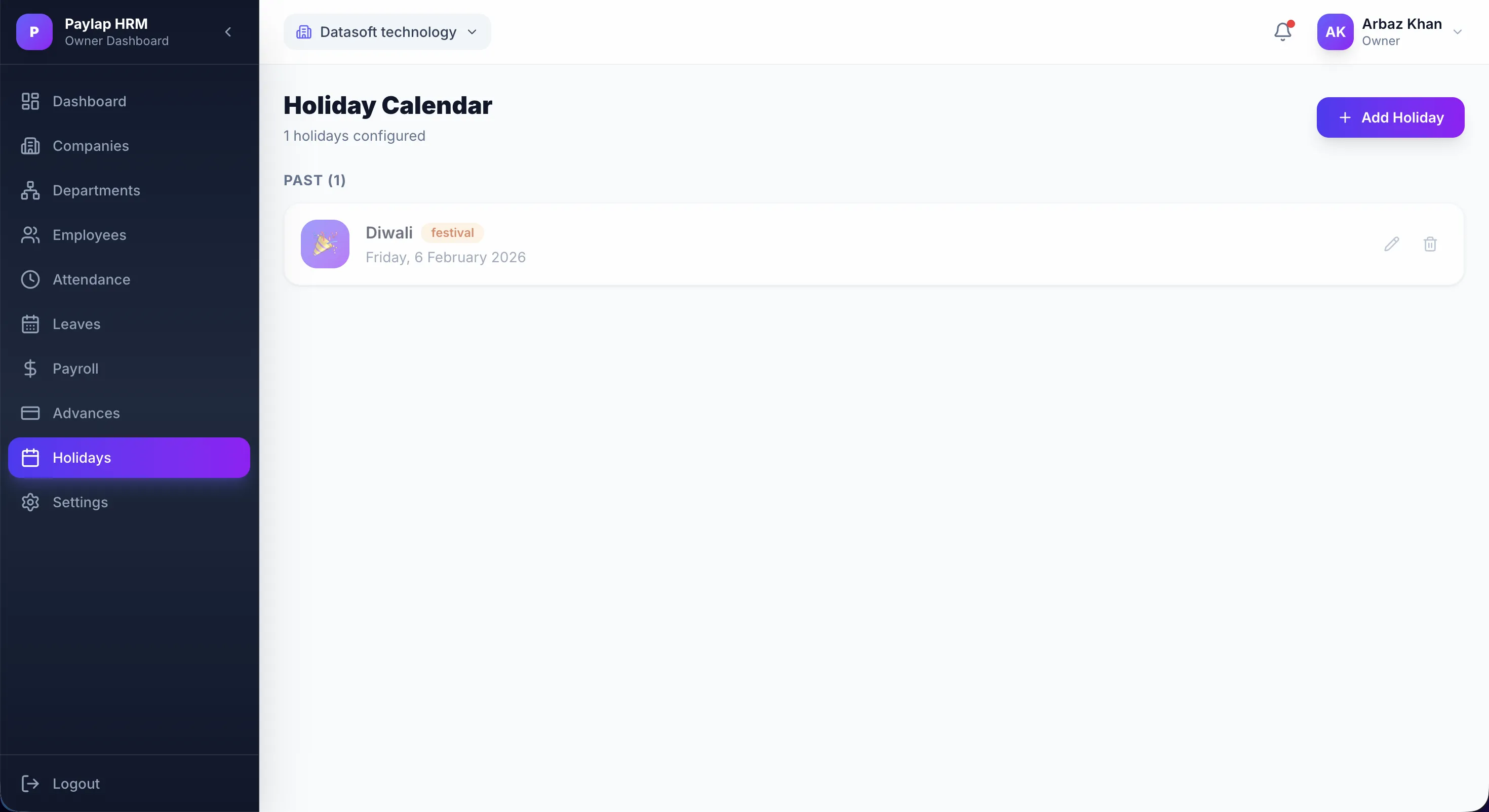
Holiday Calendar
Define and manage company-wide public holidays with ease. A clear holiday calendar ensures accurate leave calculations, payroll processing, and attendance records throughout the year.
Holiday Listing
View all configured holidays organized by past and upcoming dates with their name and status.
Add Holidays
Create new company-wide holidays instantly using the "Add Holiday" button with date and title.
Payroll & Leave Integration
All defined holidays automatically factor into attendance tracking and payroll calculations.
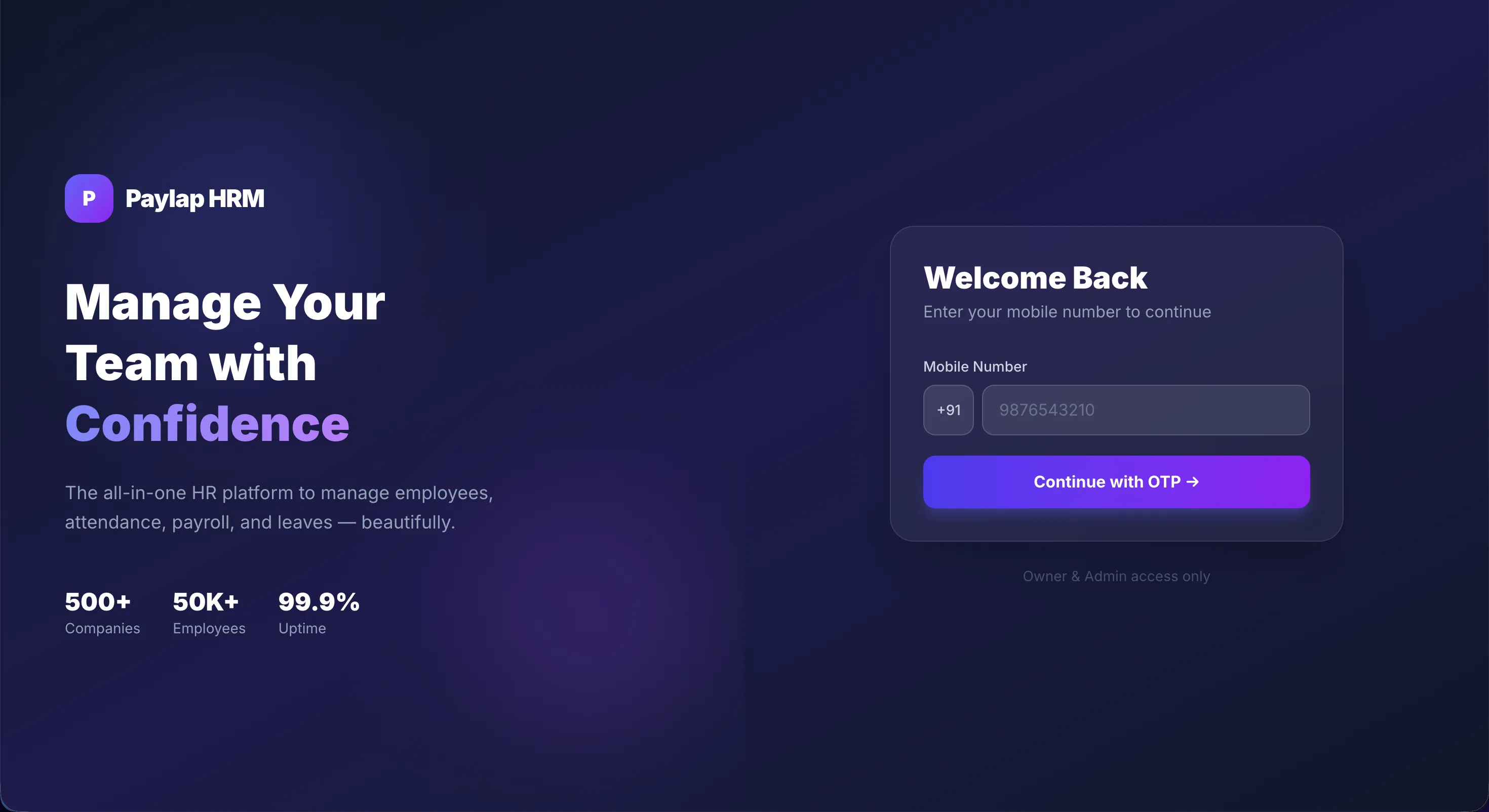
Secure OTP Login
Access the Paylap HRM admin panel with a secure, passwordless OTP login. Owners and admins authenticate via mobile number, eliminating password vulnerabilities and streamlining secure access.
Mobile OTP Authentication
Enter your mobile number and verify with a one-time password for fast, secure admin access.
Owner & Admin Only
The login panel is restricted to authorized company owners and admins for full data security.
Passwordless & Secure
No passwords to remember or lose, OTP-based login eliminates credential theft risks entirely.
Native iOS & Android App
Built with React Native and Redux. Empower employees with on-the-go access to attendance, leave requests, announcements, and digital payslips.
Owner Dashboard
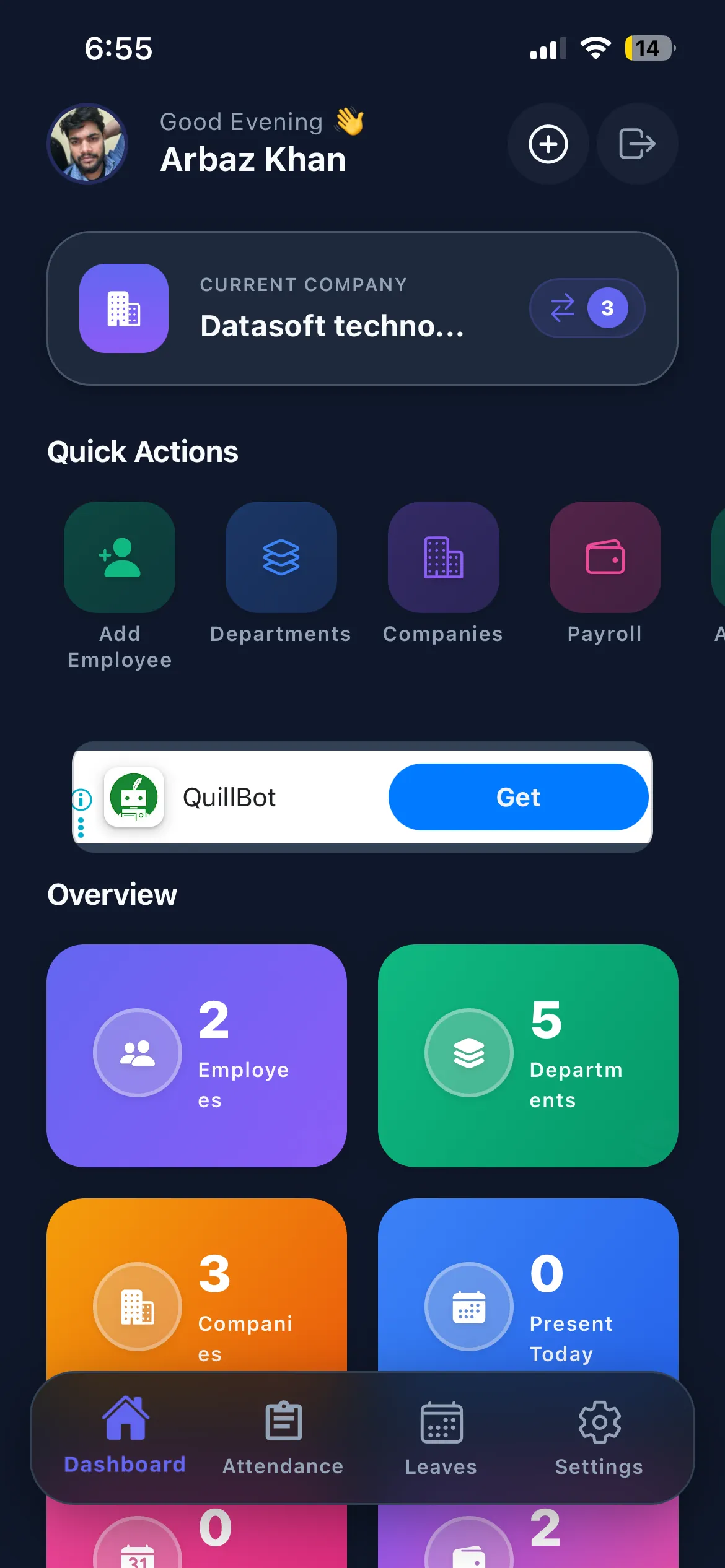
Get a complete overview of your company right from the app. Access quick-action shortcuts for managing employees, departments, companies, and payroll, plus live attendance stats for the day.
Quick Actions Menu
Instantly jump to Add Employee, Departments, Companies, or Payroll directly from the home screen.
Company Overview Cards
See total employees, departments, companies, and today's present count in live summary tiles.
Live Attendance View
Monitor who is present, absent, or on leave for any date directly from the owner dashboard.
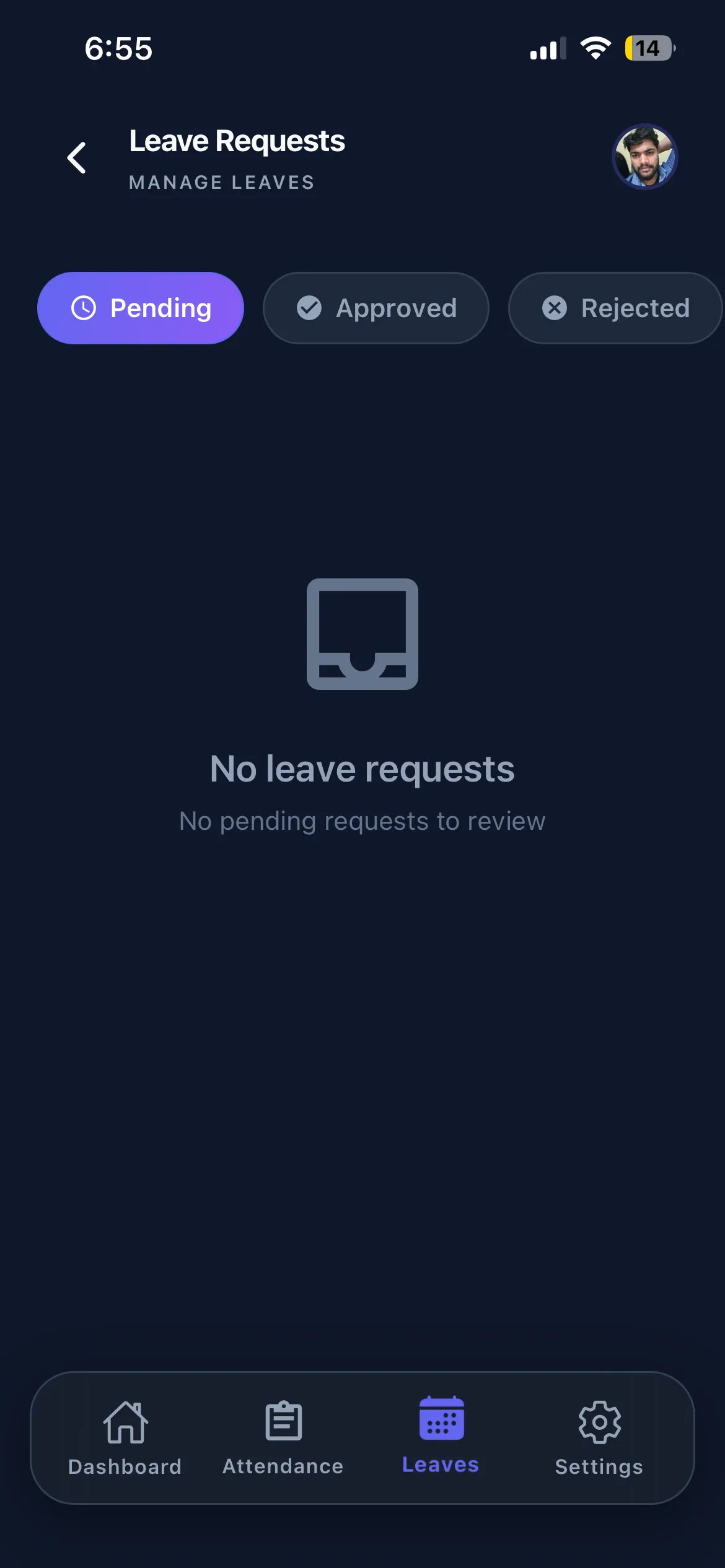
Mobile Leave Requests
Employees can view and track all their leave applications directly from their phone. Filter by Pending, Approved, or Rejected status and get full visibility into every request without contacting HR.
Status-Based Tabs
Quickly switch between Pending, Approved, and Rejected tabs to review leave request status.
Quick Leave Apply
Submit new leave requests instantly with date selection, leave type, and reason on the go.
Real-Time Updates
Get notified the moment a manager reviews and approves or rejects your leave application.
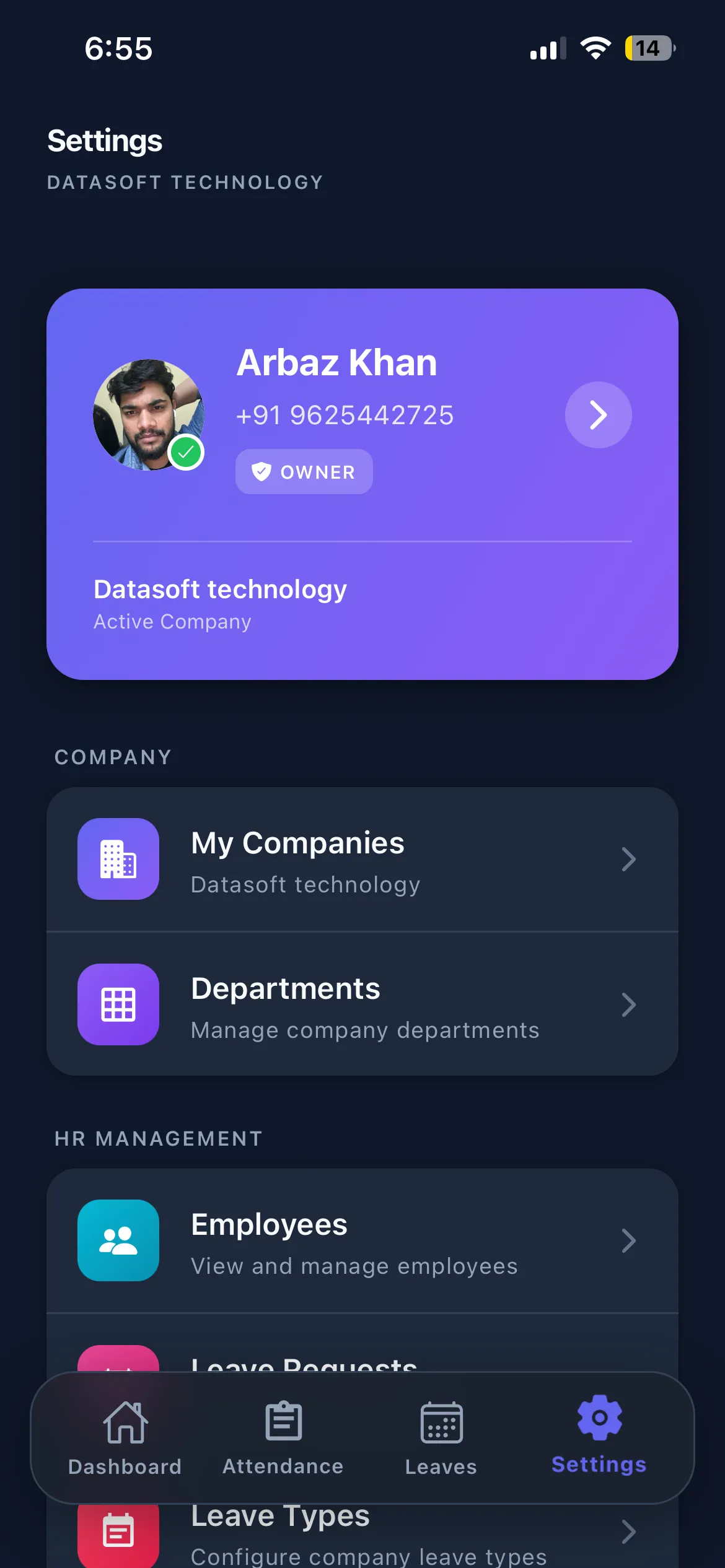
Settings & HR Hub
A centralized settings panel for owners and admins. Manage your profile, switch between companies, and access all HR management tools, Employees, Departments, Leave Requests, and Leave Types, in one place.
Profile Management
View and edit your personal details, contact info, and owner/admin role directly from settings.
Company Switcher
Quickly switch between or manage multiple active companies from the settings panel.
HR Management Links
Direct shortcuts to Employees, Departments, Leave Requests, and Leave Types all from one hub.
Multi-Company & Departments
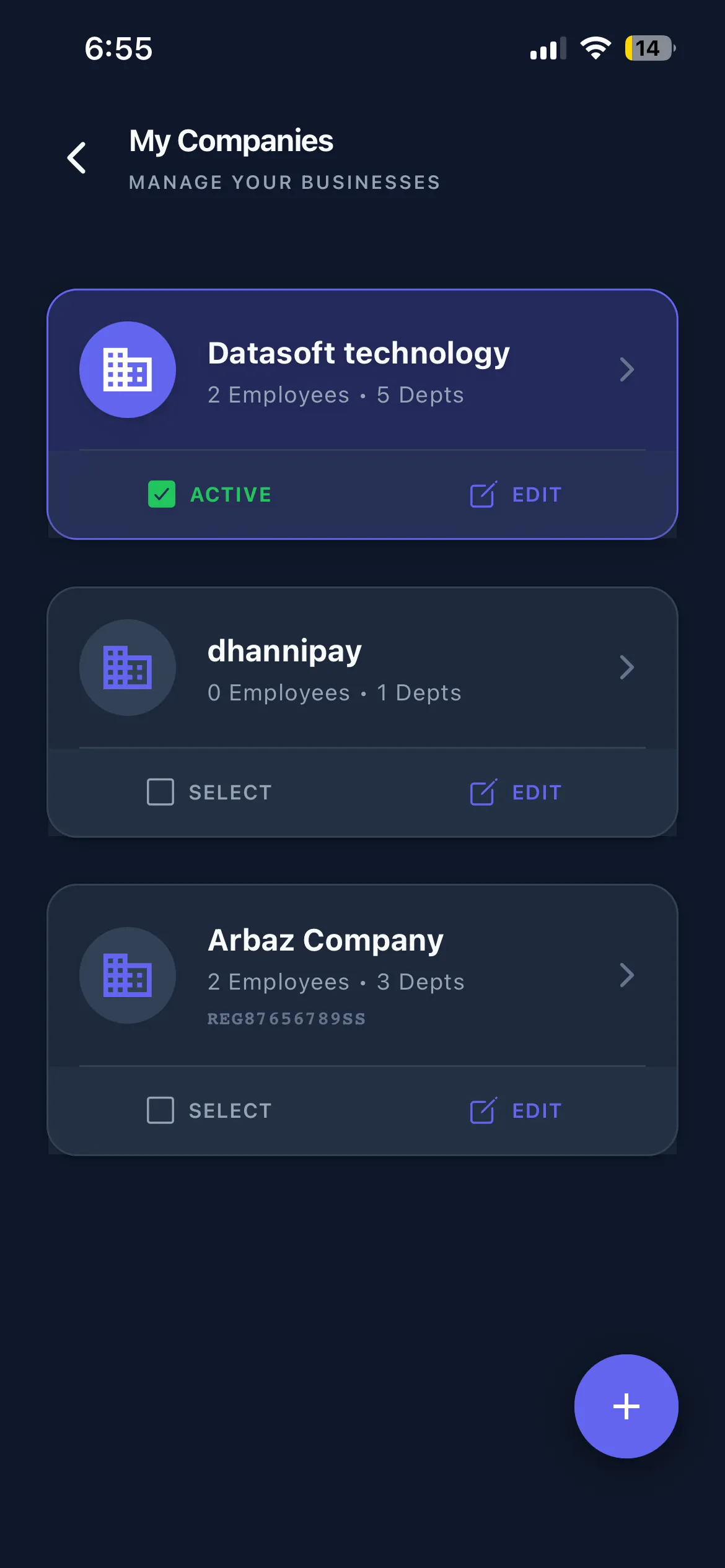
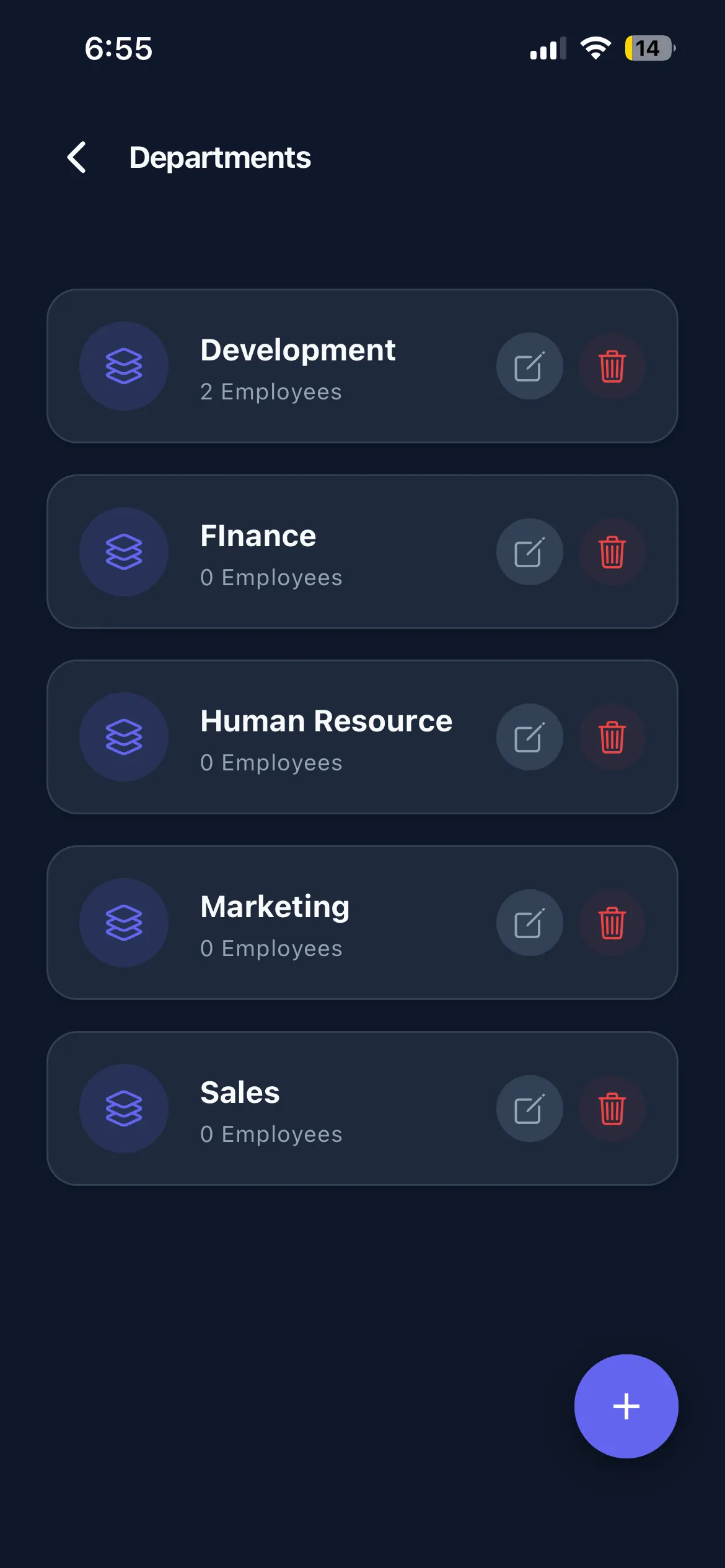
Manage all your registered businesses and their department structures from your phone. View employee counts, switch active companies, and organize team hierarchies, all on the go.
Companies List
View all registered companies with their employee count, department count, and active status.
Department Management
Create and manage departments within each company, with team member counts visible at a glance.
Quick Company Switch
Select any company as active and instantly access its employee and department data.
Leave Approvals & Advance Management
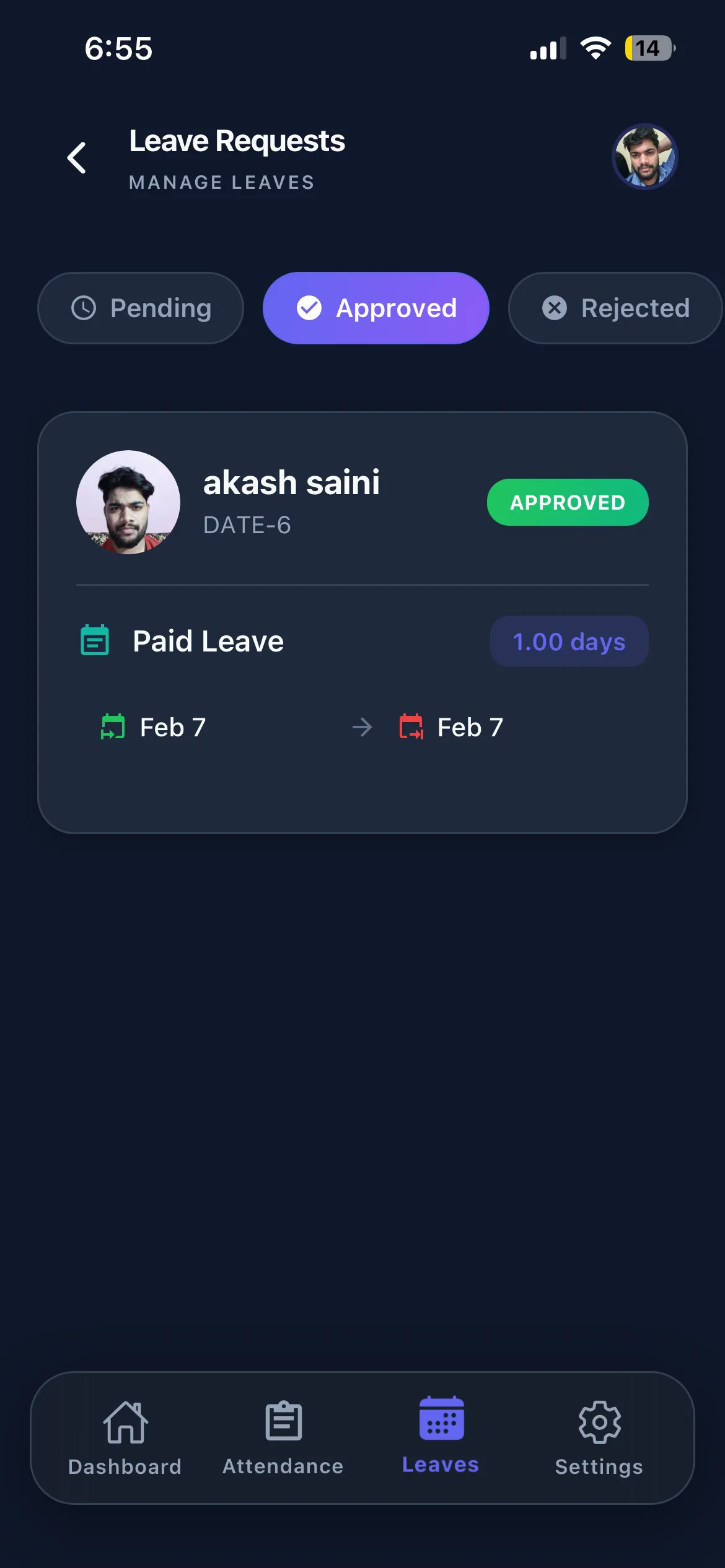
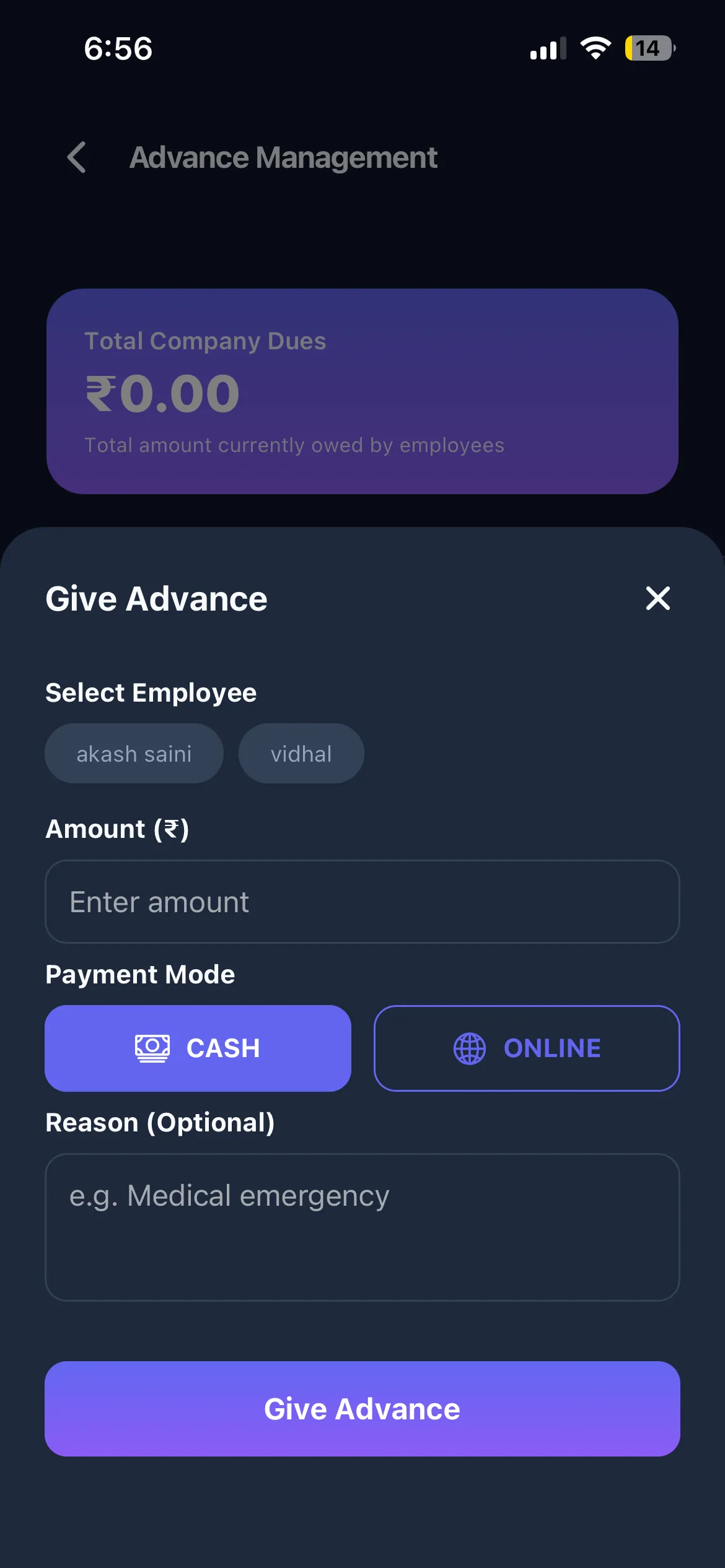
Review and act on employee leave requests and manage salary advance disbursements, all from your phone. Approve leaves, track approval history, and issue advances with just a few taps.
Leave Approval Panel
View leave requests with status tabs (Pending, Approved, Rejected) and take action instantly.
Give Advance
Disburse salary advances to employees with payment mode (Cash/Online) and optional reason.
Advance Tracking
Monitor total company dues and track outstanding advance amounts across all employees.
Employee Directory
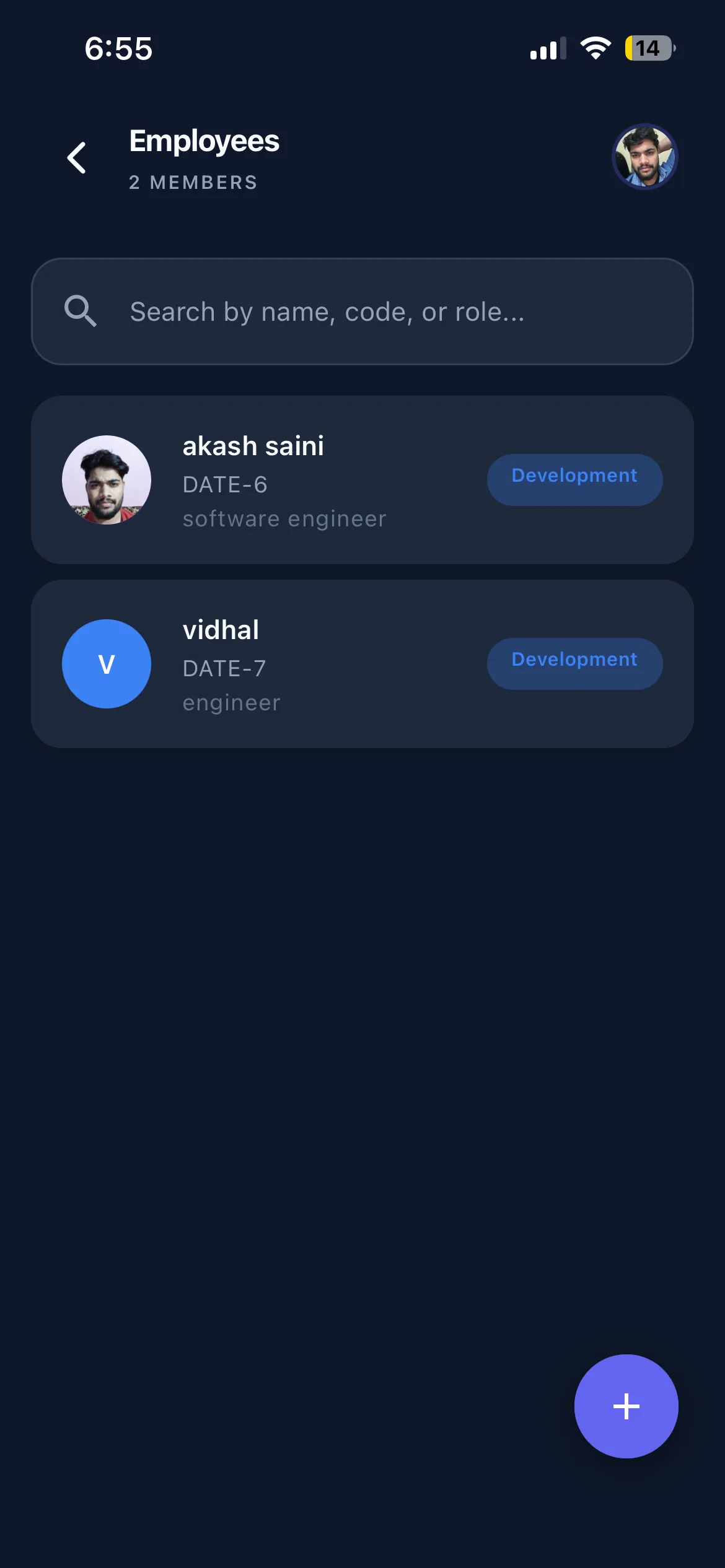
A searchable, mobile-first employee directory giving owners and managers quick access to the full team roster. Find any team member by name, code, or role, with designation and department shown instantly.
Quick Search
Instantly find employees by searching name, code, or role using the real-time search bar.
Employee Cards
Each entry shows the employee's avatar, name, code, designation, and department tag at a glance.
Add Employees
Onboard new team members to any company directly from the mobile app with a single tap.
Services behind this build
Let's Build Your
Enterprise Product
From HR platforms to complete digital transformations, we engineer secure, scalable, and beautifully designed software.