Are You
Alive
A personal safety platform with daily safety check-ins, instant SOS alerts, silent SOS, live GPS sharing, and real-time WhatsApp + SMS notifications to emergency contacts. Built under the Suraksha Bharat brand and live in production on web, iOS, and Android.
Project Type
Safety Platform
Status
Live in Production
Platforms
Web · iOS · Android
Core Stack
Laravel · React Native
React · Firebase FCM
Full Technology Stack
Production-grade frameworks and tools powering every layer of the platform, from backend API to native mobile apps.
Backend & API
Frontend
Mobile
Cloud & Messaging
The Public Website
A landing site at surakshabharat.cloud that explains the platform to prospects, from the one-liner hero to a three-step walkthrough and a full feature-grid overview.
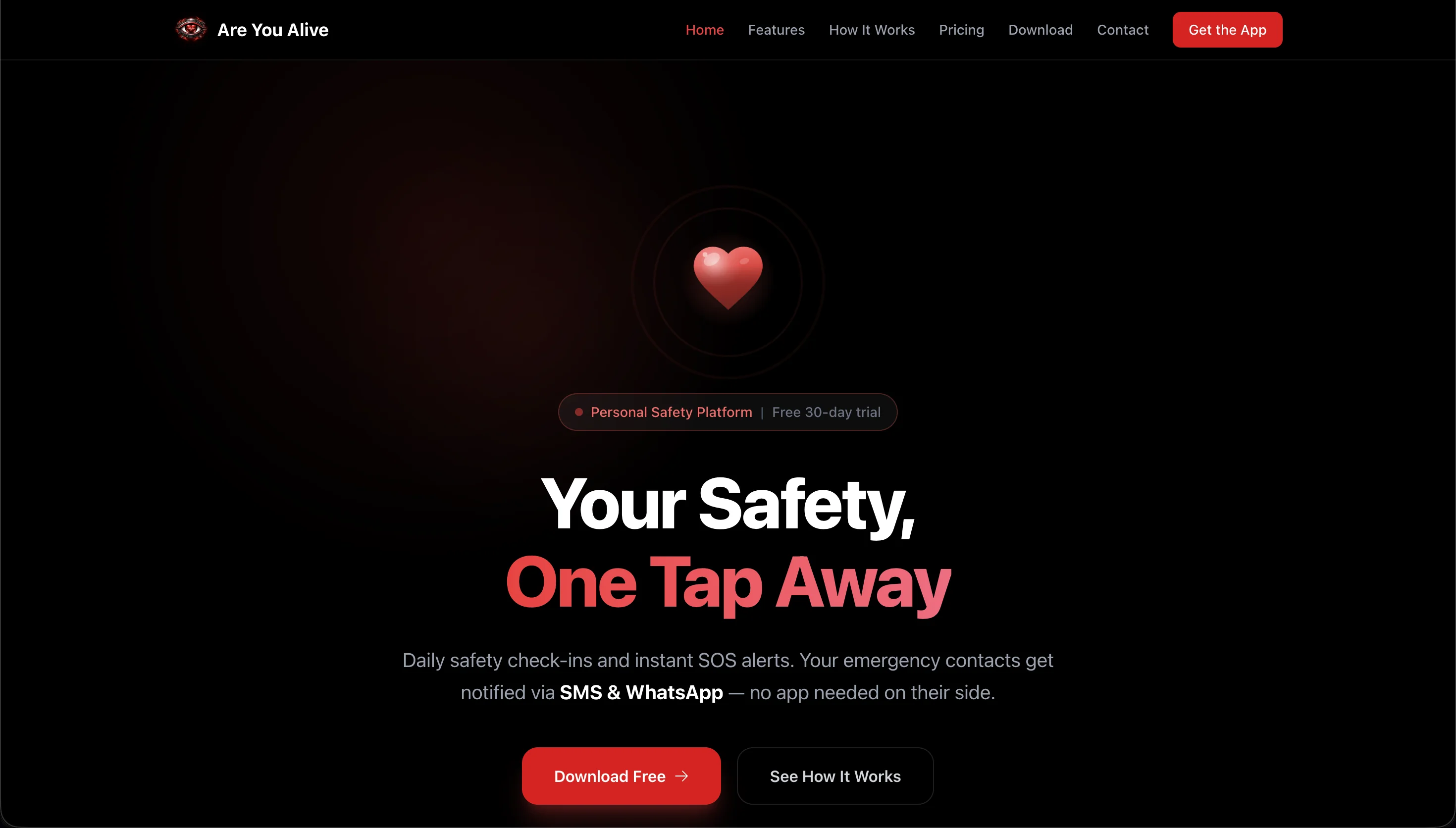
Landing Hero: "Your Safety, One Tap Away"
The homepage leads with a bold, focused hero ("Your Safety, One Tap Away") framed against a dark theme with a pulsing heart motif. A single "Download Free" CTA and a "See How It Works" secondary link keep the conversion path clear.
Focused Hero Headline
A single, high-contrast promise paired with a short subheadline explaining SMS & WhatsApp alert fan-out, with no app needed on the contact's end.
30-Day Free Trial Badge
A prominent "Personal Safety Platform · Free 30-day trial" pill sits above the headline to remove friction before the CTA.
Primary + Secondary CTA
"Download Free" drives installs while "See How It Works" deep-links to the explainer section below.
How It Works: 3-Step Walkthrough
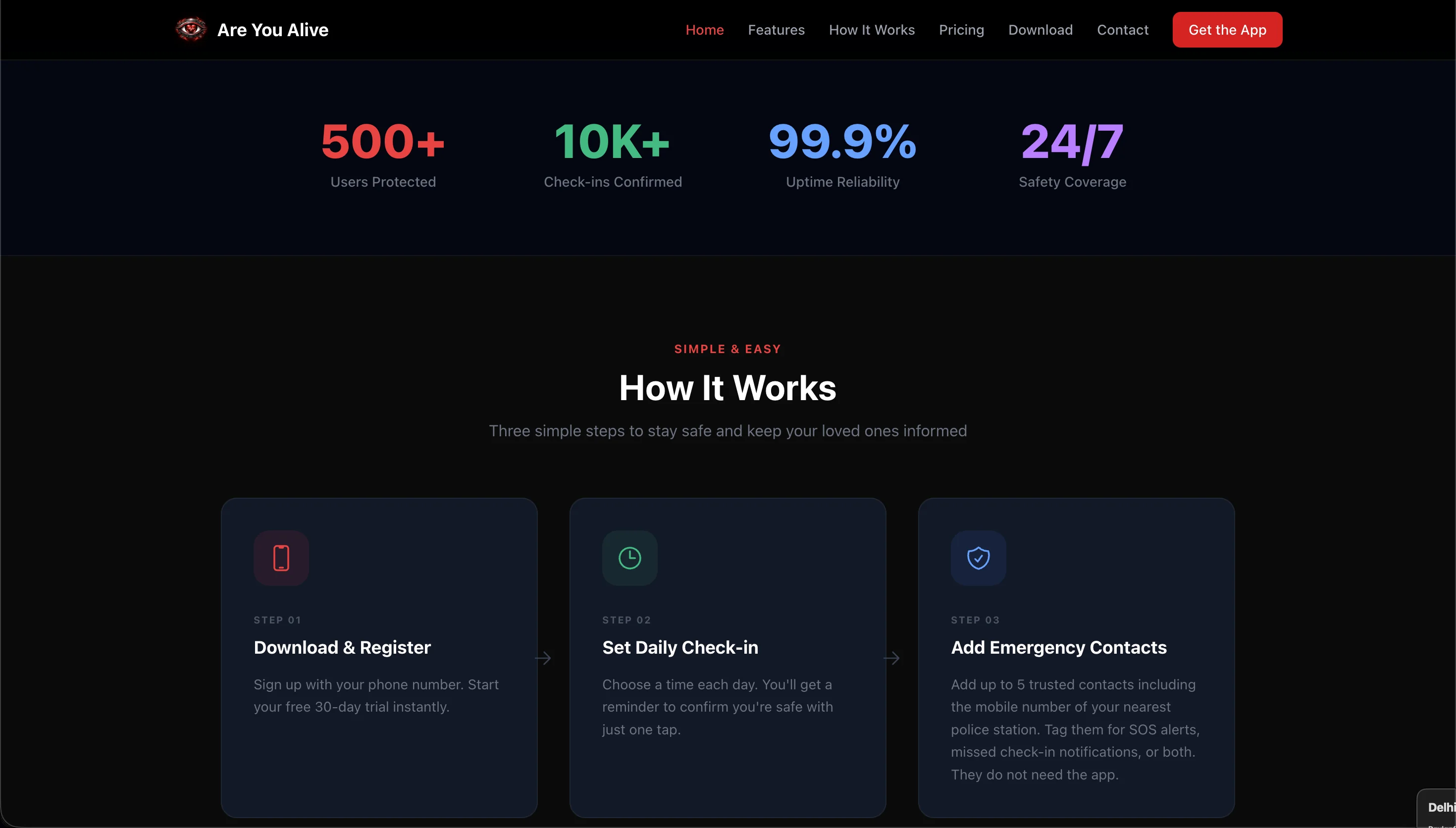
A dedicated "How It Works" section explains the platform in three simple steps (Download & Register, Set Daily Check-In, Add Emergency Contacts), topped by a trust-metrics band showing users protected, check-ins confirmed, uptime, and 24/7 safety coverage.
3 Simple Steps
Download & Register → Set Daily Check-In → Add Emergency Contacts: a zero-jargon onboarding story for first-time visitors.
Trust Metrics Strip
500+ Users Protected · 10K+ Check-Ins Confirmed · 99.9% Uptime · 24/7 Safety Coverage: quantified trust signals above the fold.
Consistent Dark Theme
A cohesive dark-mode aesthetic with the rose accent carries the brand's "calm in a crisis" feel from hero to steps.
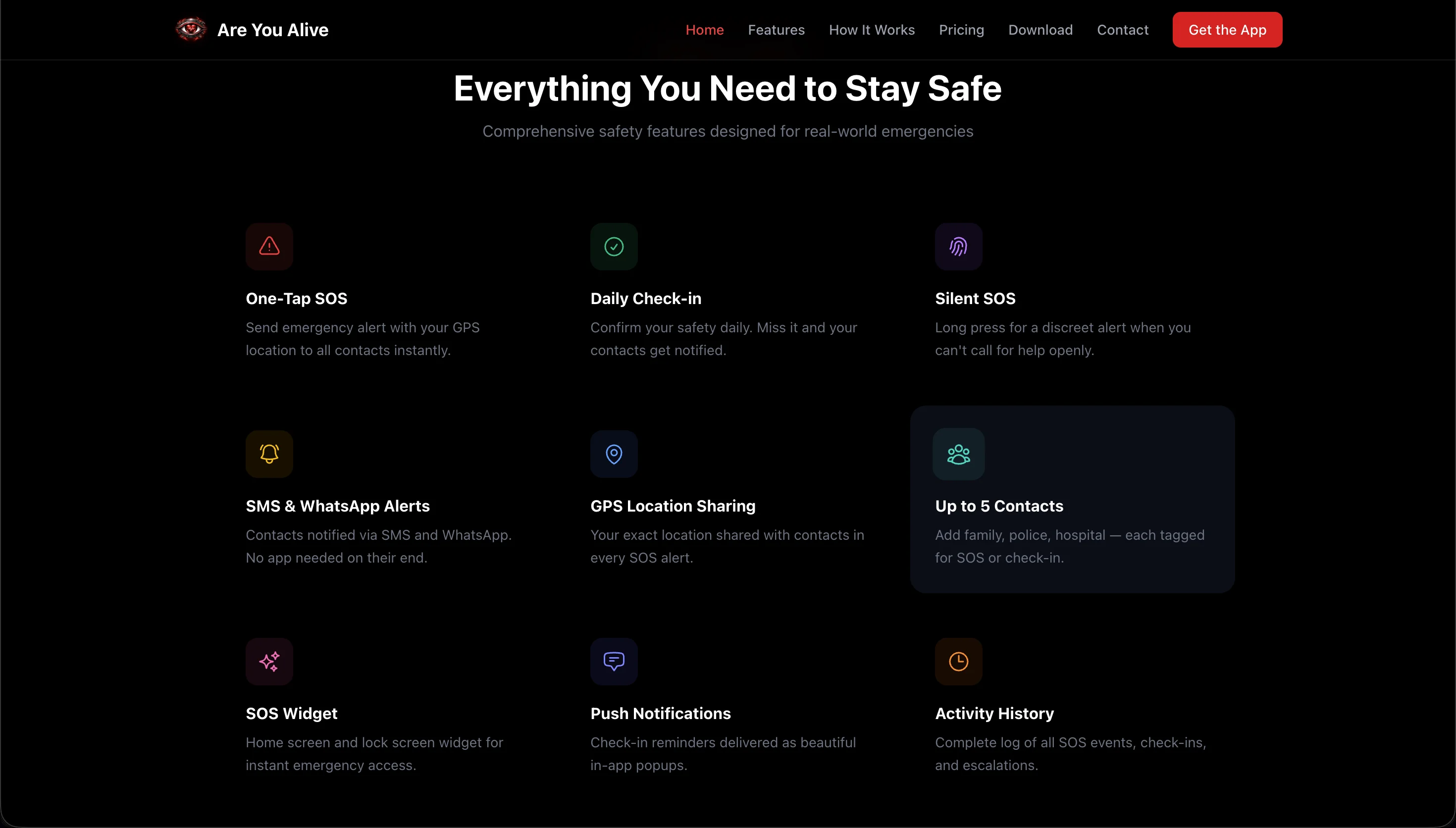
Features Grid: "Everything You Need to Stay Safe"
A nine-tile features grid lays out every core capability as a single scannable overview: one-tap SOS, daily check-in, silent SOS, SMS & WhatsApp alerts, GPS location sharing, up to five contacts, SOS widget, push notifications, and full activity history.
9 Feature Tiles
Each feature gets its own icon and short description card. No long paragraphs, no scroll fatigue.
End-to-End Coverage
From the moment of alert (SOS) to follow-up (GPS, WhatsApp, SMS) to after-action (activity history): the whole lifecycle on one screen.
Scannable Above the Fold
Three columns by three rows: visitors can grasp the full product in under 10 seconds before deciding to download.
Admin Dashboard
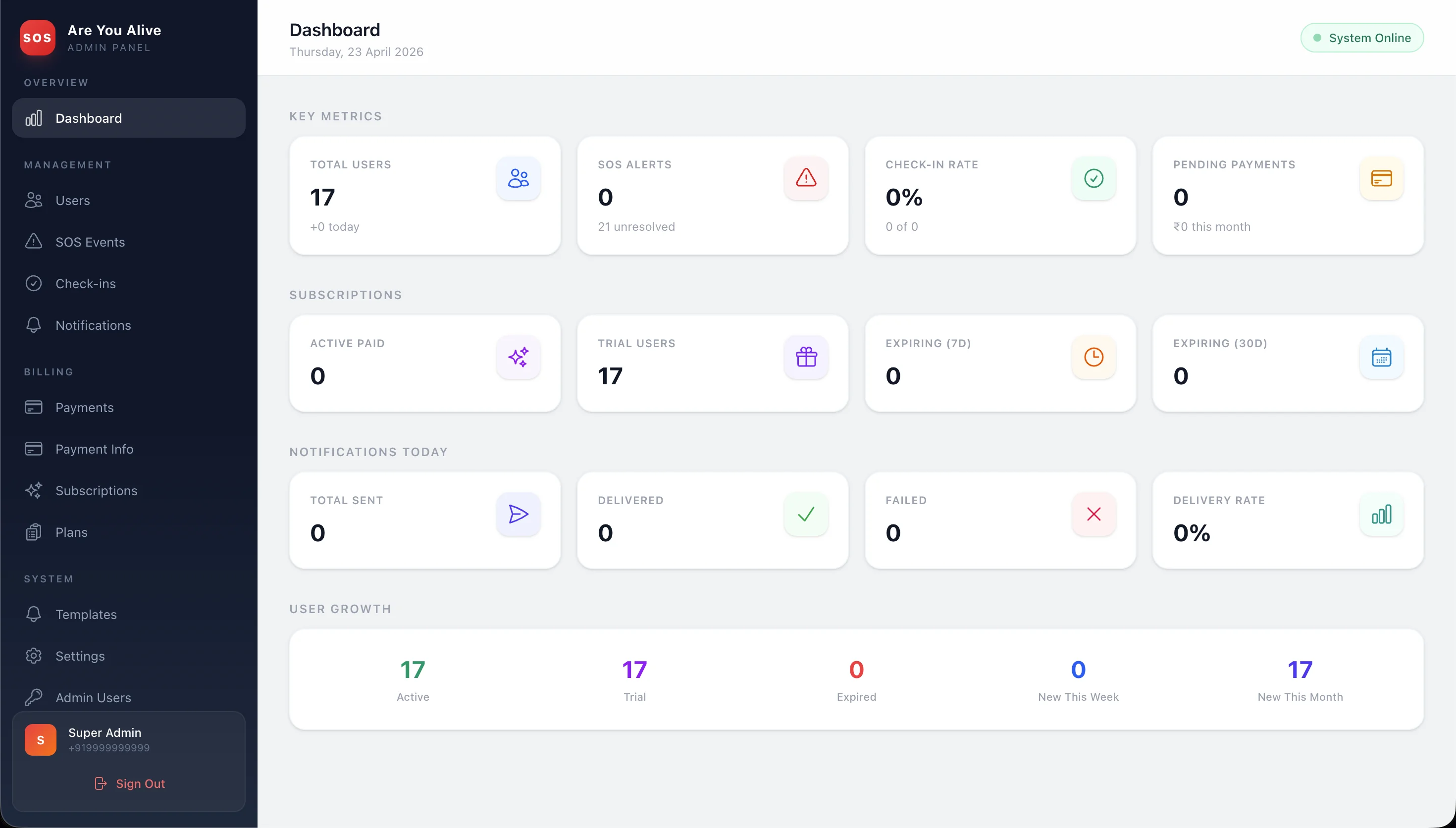
Built with React + Vite, this is the web control panel the Datasoft operations team uses to monitor users, SOS events, check-ins, and subscription payments in real time.
Admin Overview & Key Metrics
The admin home view surfaces every business-critical KPI in a single glance: total users, active paid subscriptions, trial users, expiring plans, today's notification delivery rate, and week-on-week user growth.
Top KPI Strip
Total Users · SOS Alerts · Check-In Rate · Pending Payments: the four numbers the ops team cares about, always on top.
Subscription Snapshot
Active Paid, Trial Users, Expiring (10d), Expiring (30d): a subscription health card to spot churn risk early.
Notifications Today
Total Sent · Delivered · Failed · Delivery Rate: gives support a real-time view of whether alerts are actually landing.
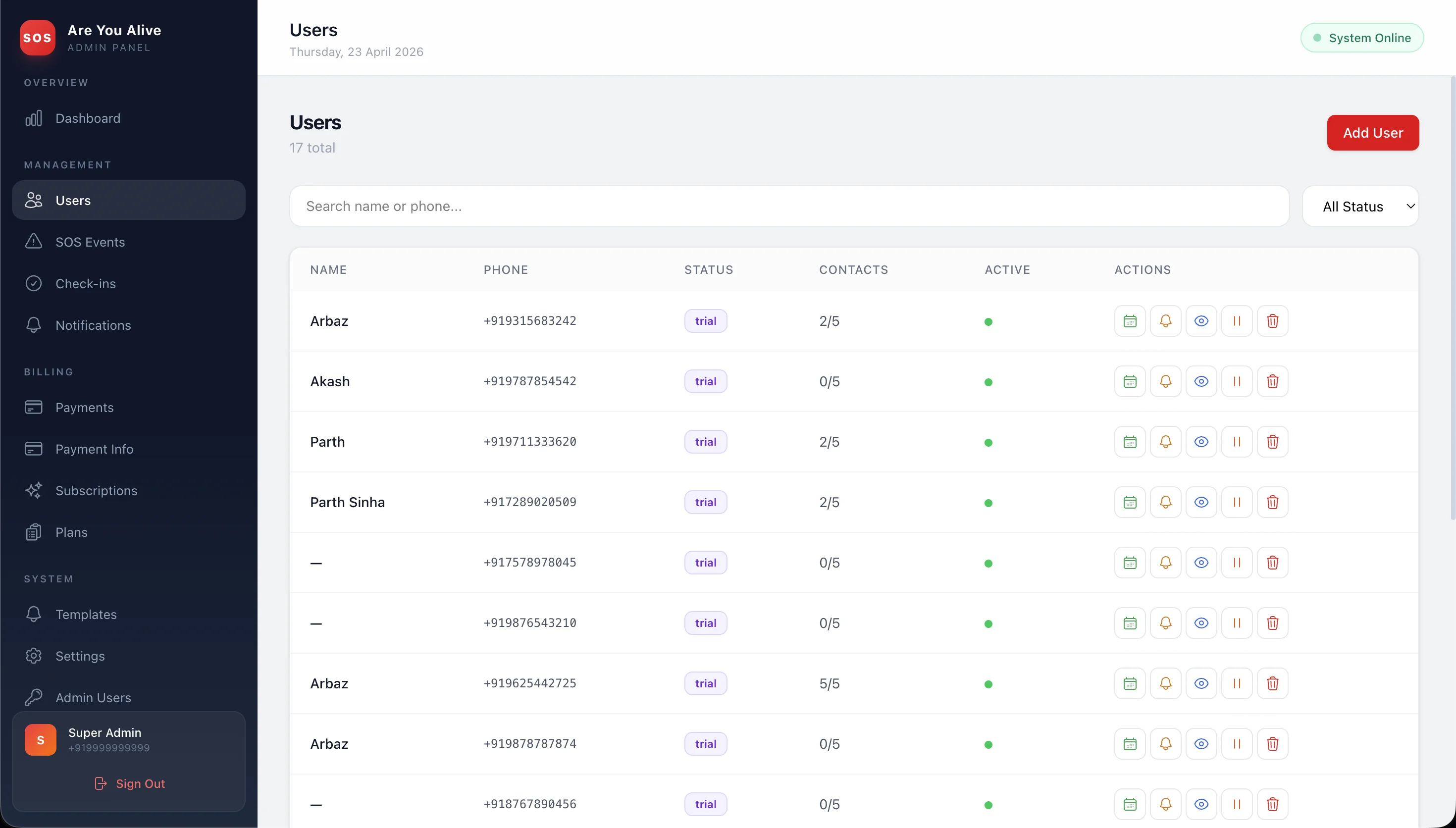
User Management Table
A searchable users table gives admins a single-pane view of every account: phone number, current plan, trial or active status, contact count, and quick actions for support intervention.
Full User Directory
Every registered user is listed with name, phone, plan tag, and trial/active badge, searchable by name or phone.
Quick Search & Filter
Top-bar search plus status filters let support staff jump to a specific user during a live call in seconds.
Role-Based Access
Super Admin and Admin Users are kept separate. Sensitive actions like impersonation and deletion sit behind super-admin only.
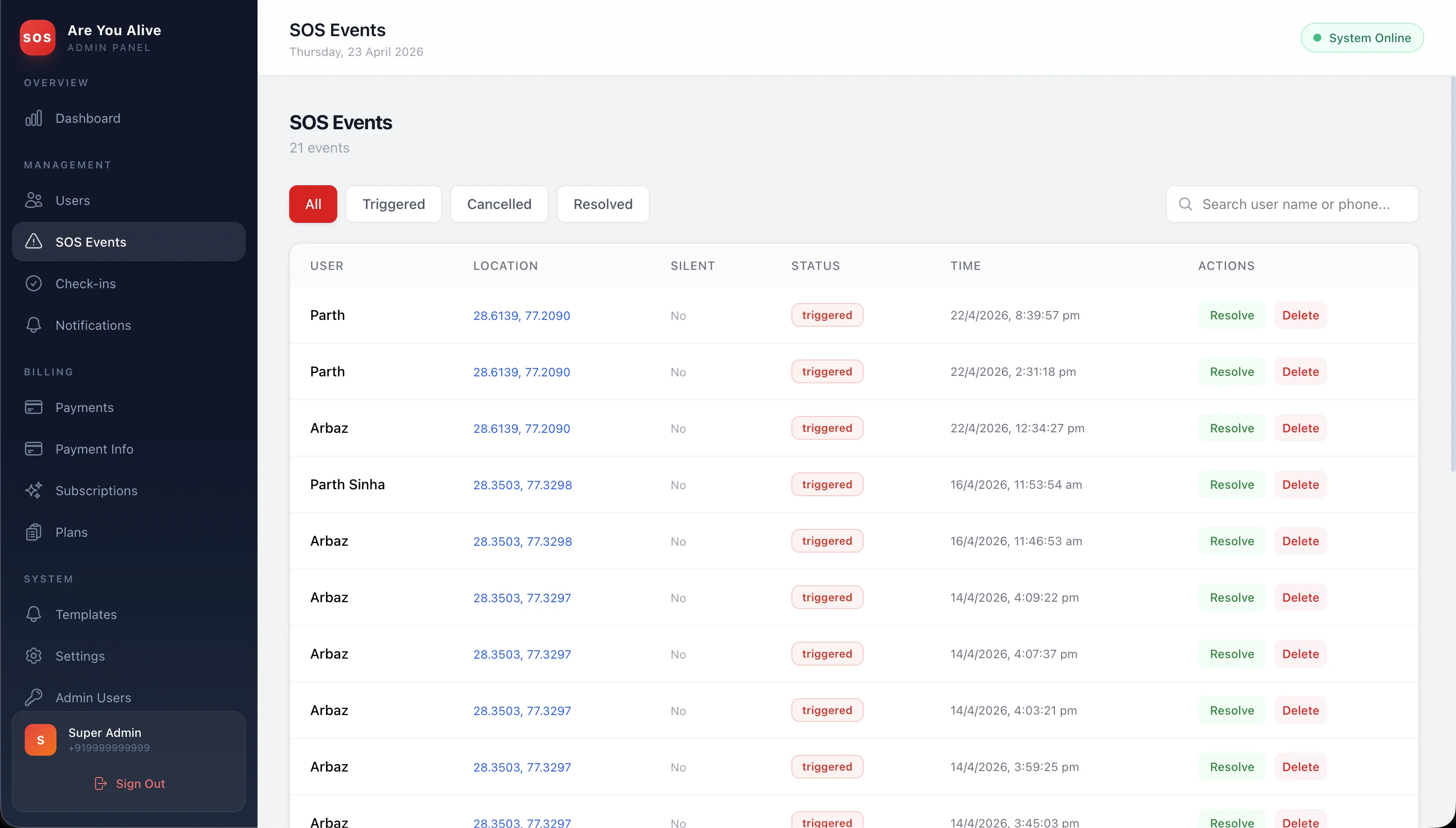
SOS Events & Audit Log
A live SOS Events table logs every triggered, cancelled, and resolved alert with GPS coordinates, a silent-or-visible flag, status, and timestamp, so the ops team can intervene on active incidents in real time.
Triggered / Cancelled / Resolved
Tabbed filters pre-segment the table by incident state, so escalations surface first and noise is hidden by default.
GPS Coordinates per Event
Each row shows the exact lat/lng captured at trigger time, clickable to open the location on a map.
Silent SOS Flag
A dedicated column marks whether the alert was a silent SOS, a critical signal for high-priority follow-up.
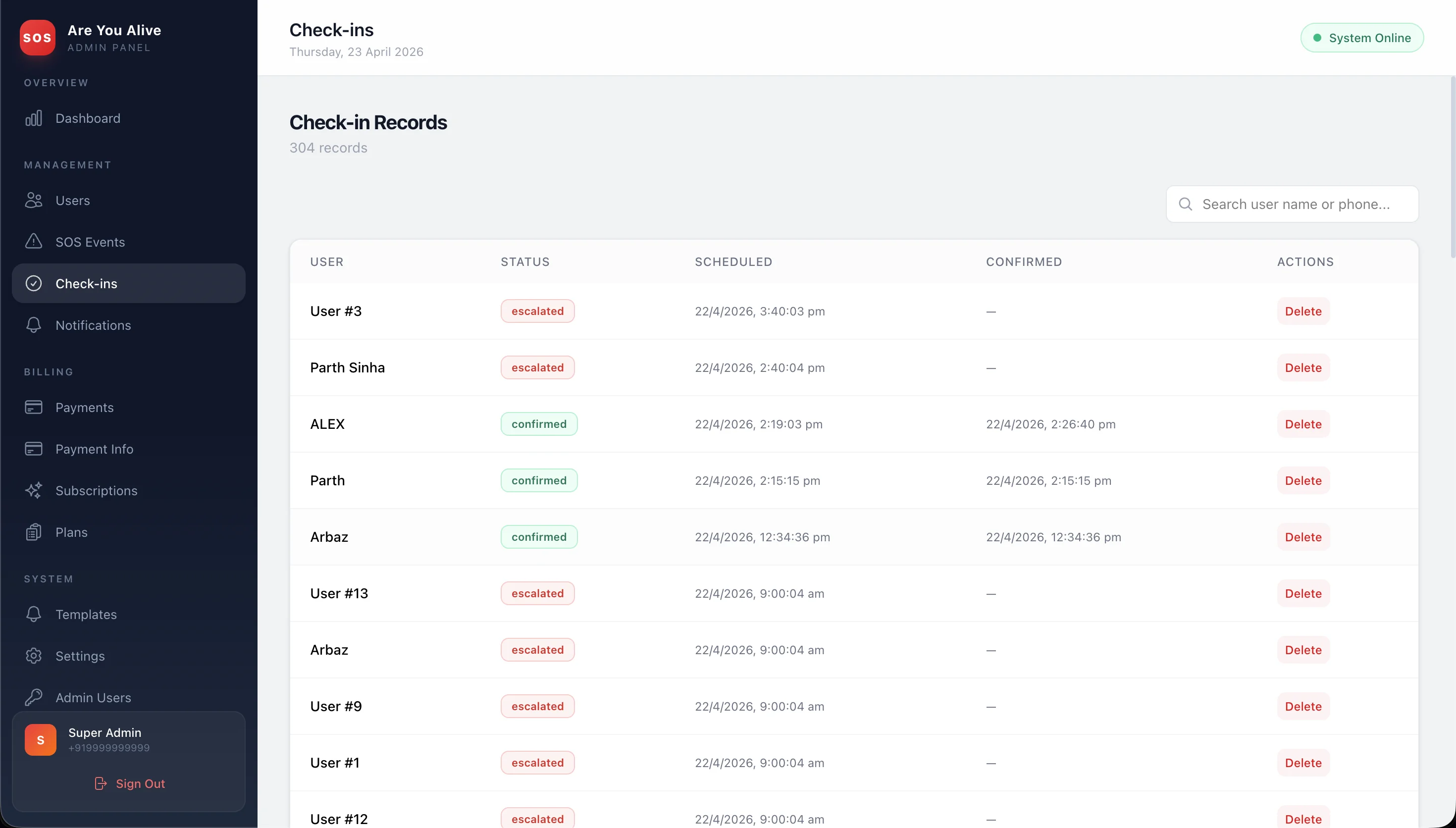
Check-In Records Log
Every scheduled daily check-in across the user base is logged here, with scheduled time, confirmation time (or blank), and a confirmed or escalated status tag, so the team can audit escalation behaviour in production.
Scheduled vs Confirmed
Side-by-side columns make it obvious at a glance whether a user responded on time or missed the window entirely.
Escalated Status Tag
A bold "escalated" badge flags every missed check-in that triggered contact fan-out, making support triage quick.
Per-User Search
Filter the entire log by user name or phone to reconstruct a specific person's check-in history for an incident review.
Native iOS & Android App
A React Native safety app with daily check-in popups, a one-tap SOS button, a silent SOS for threatening moments, and widget-level access from the phone's home screen.
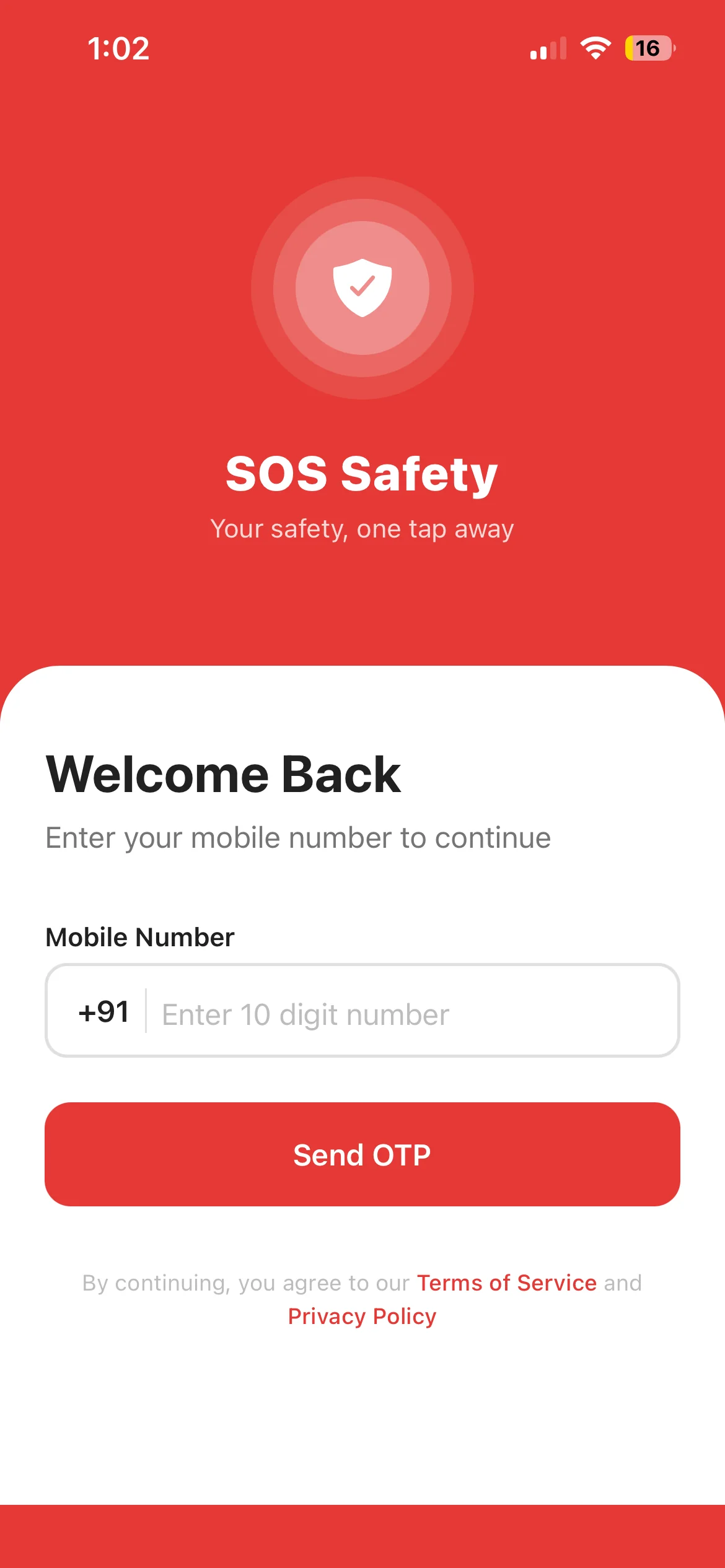
OTP Login & Daily Check-In Home
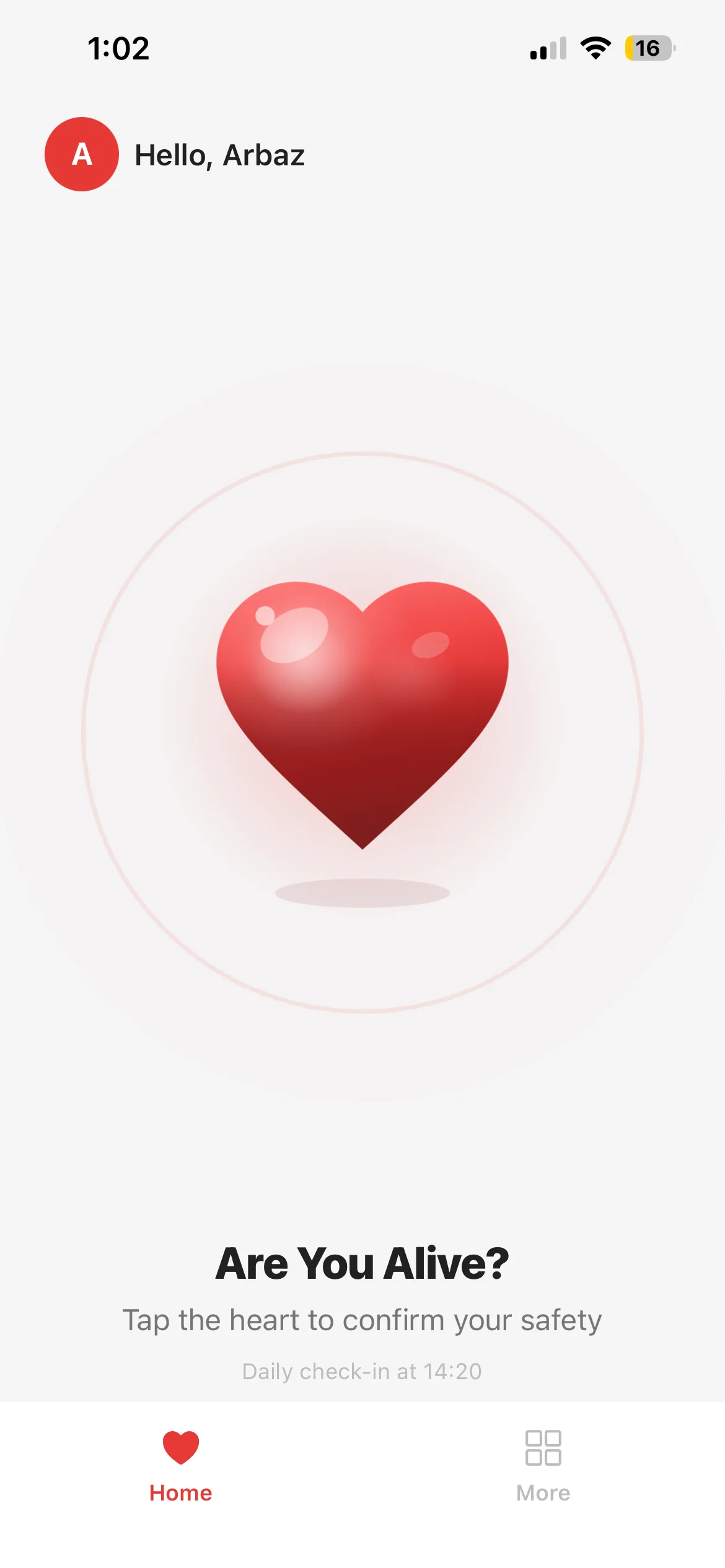
Users sign in with phone + OTP on a branded "SOS Safety" splash, then land on the home screen: a full-screen heart button asking "Are You Alive? Tap the heart to confirm your safety." One tap completes the daily check-in, with the next window time shown below.
Phone + OTP Onboarding
A "+91 · Send OTP" login removes password friction, optimised for India's prosumer audience.
Tap-the-Heart Check-In
A single pulsing heart icon is the only thing on the home screen. Confirm safety in one tap, no menus, no scrolling.
Next Check-In Timestamp
"Daily check-in at 14:20" is always visible so the user knows exactly when the next prompt will fire.
Settings & Emergency Contacts
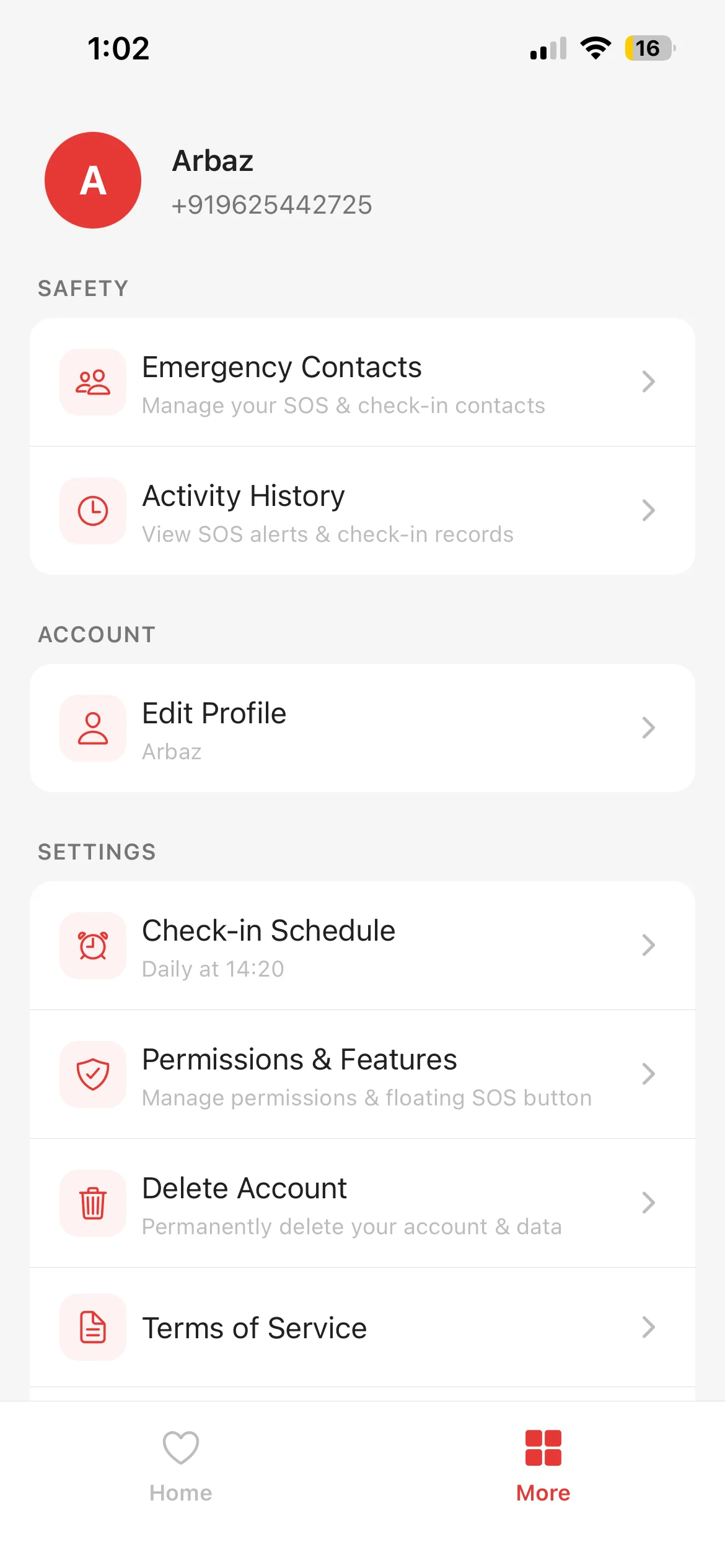
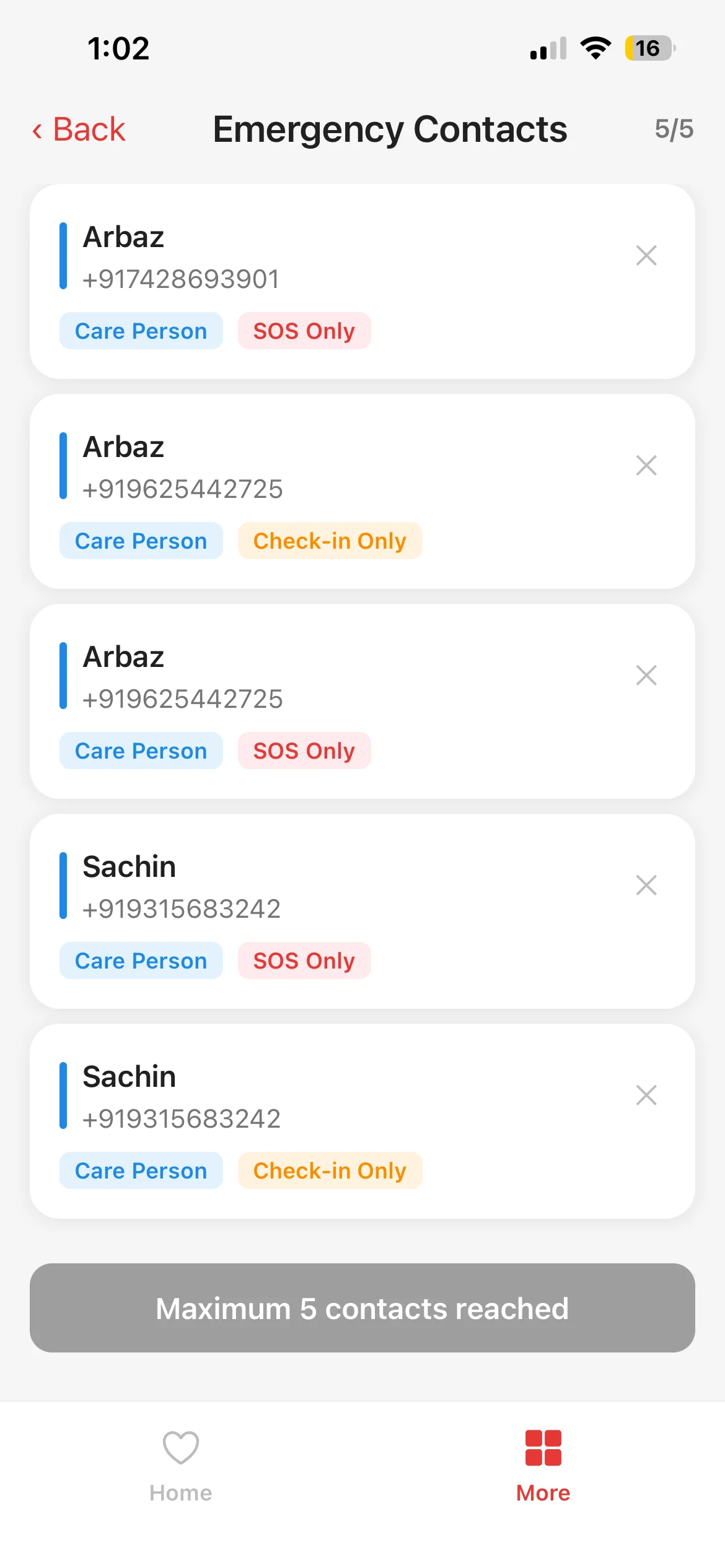
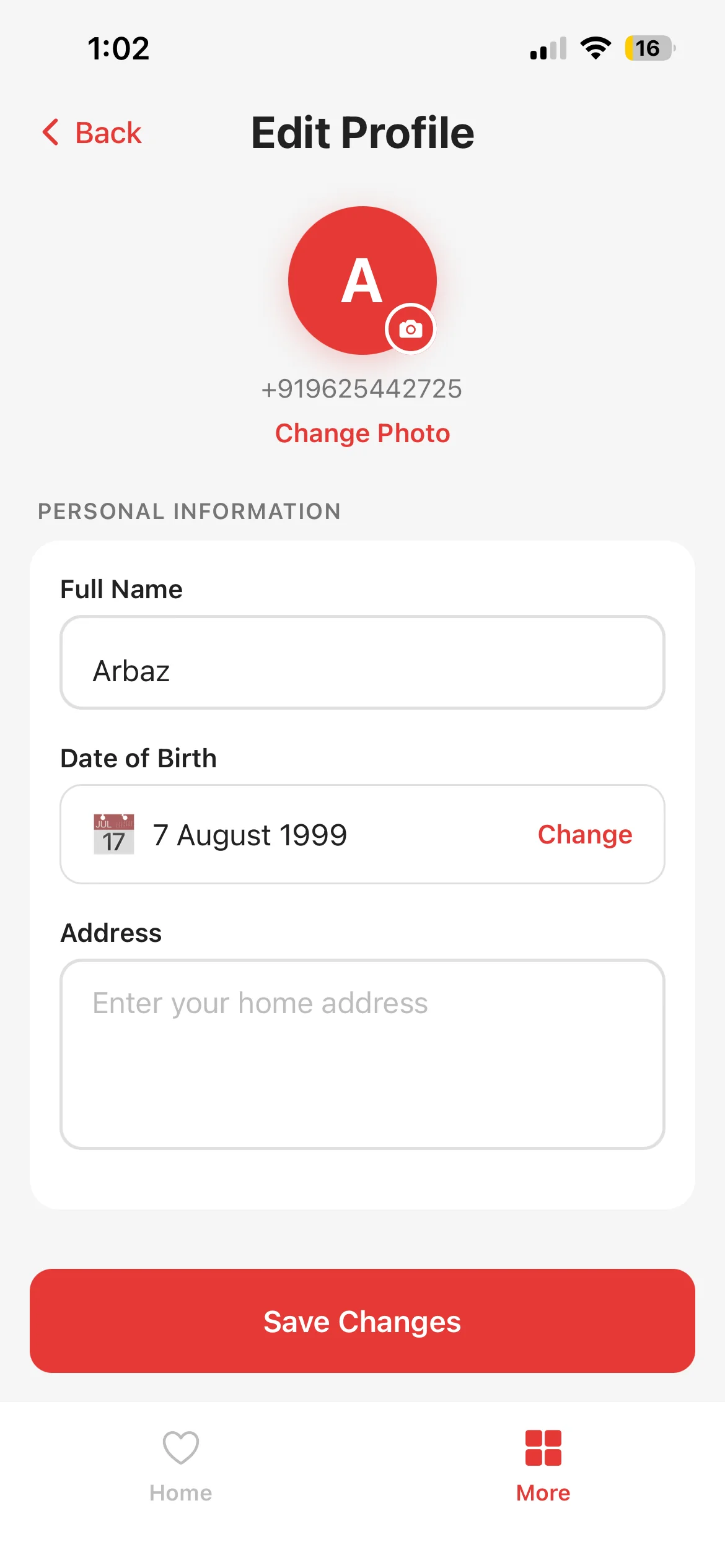
A clean "More" tab groups everything non-urgent (Edit Profile, Check-in Schedule, Permissions & Features, Delete Account, Terms of Service) alongside the emergency-contacts list, capped at five, with SOS-only, Check-in-only, or both channel tags per contact.
Up to 5 Contacts
Users add family, friends, or a police-station contact. The app enforces the 5-contact cap with a clear "Maximum 5 contacts reached" banner.
Per-Contact Channel Tags
Each contact is tagged Care Person · SOS Only · Check-in Only so alerts only go to who needs them. No alarm fatigue.
Central Settings Hub
Profile, schedule, permissions, data deletion and legal copy all live under one "More" tab. Nothing hidden in deep menus.
Activity History
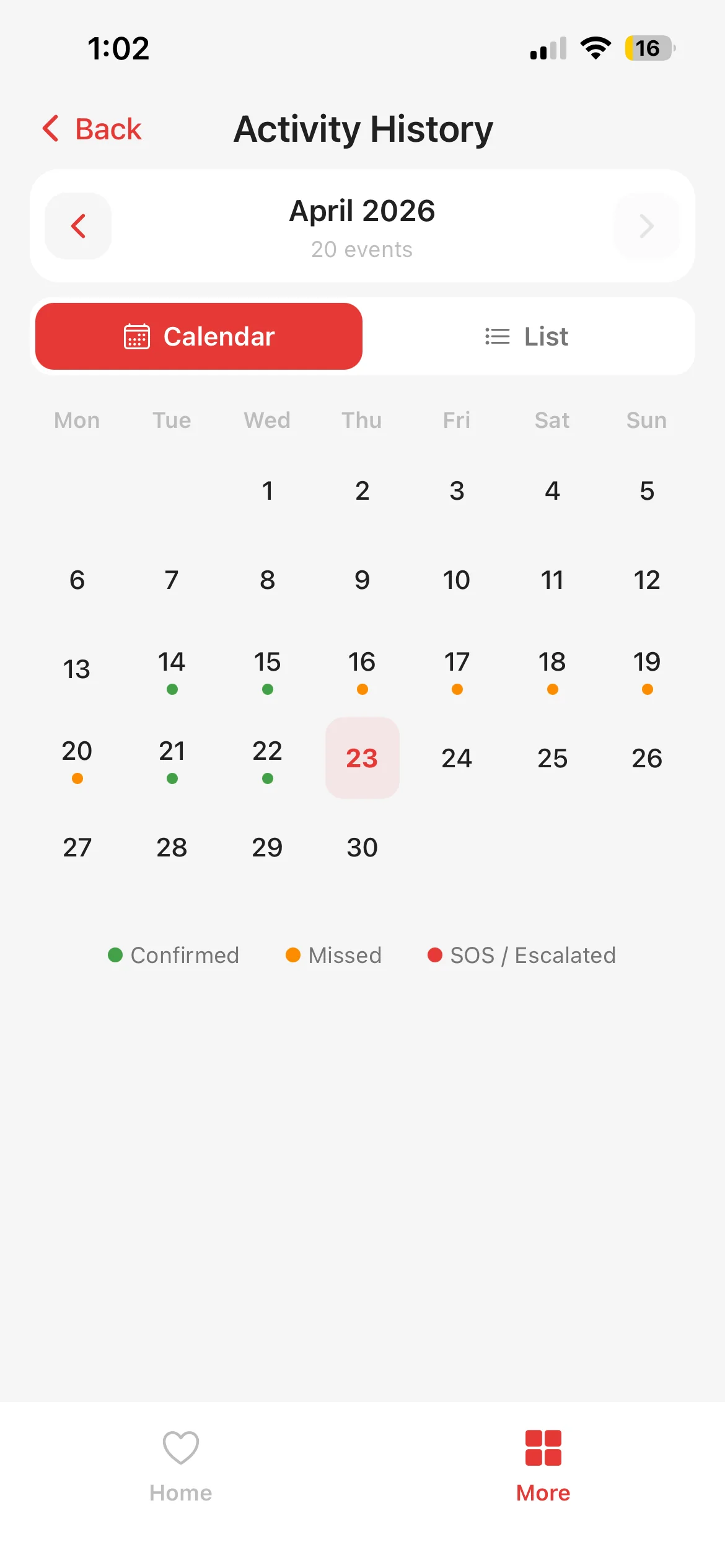
An in-app Activity History screen shows a month-at-a-glance calendar of every check-in, missed check-in, and SOS event. Users can navigate month-by-month to audit their own safety record and share it with family when asked.
Month-at-a-Glance Calendar
Every day is tagged with its check-in state (confirmed, missed, or SOS) on a single scrollable calendar.
Month Navigation
Arrow controls let users step through past months, so long-term patterns like holiday gaps and travel weeks are easy to spot.
Event Count per Month
A header count ("20 events") summarises each month's activity at the top, so no scrolling is needed for totals.
Check-In Schedule & Device Permissions
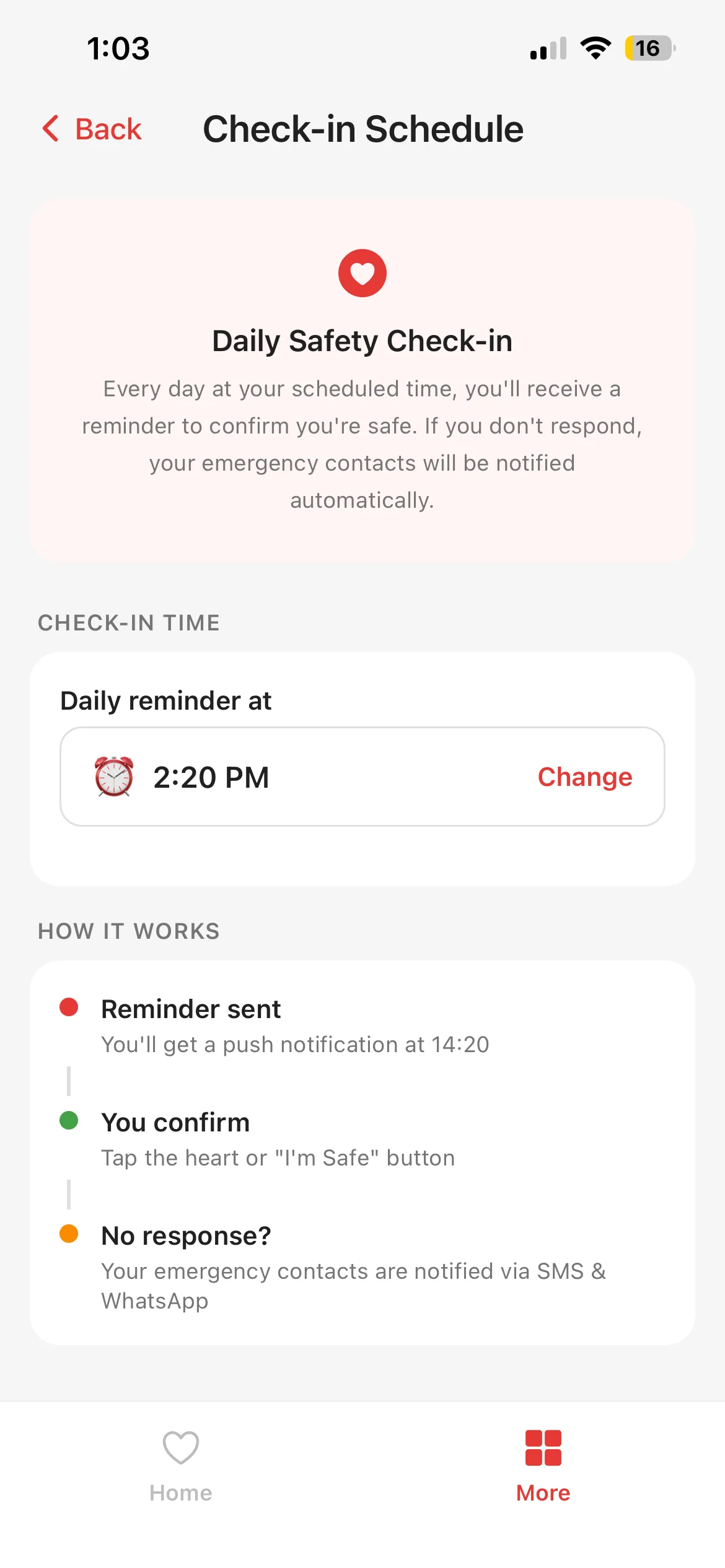
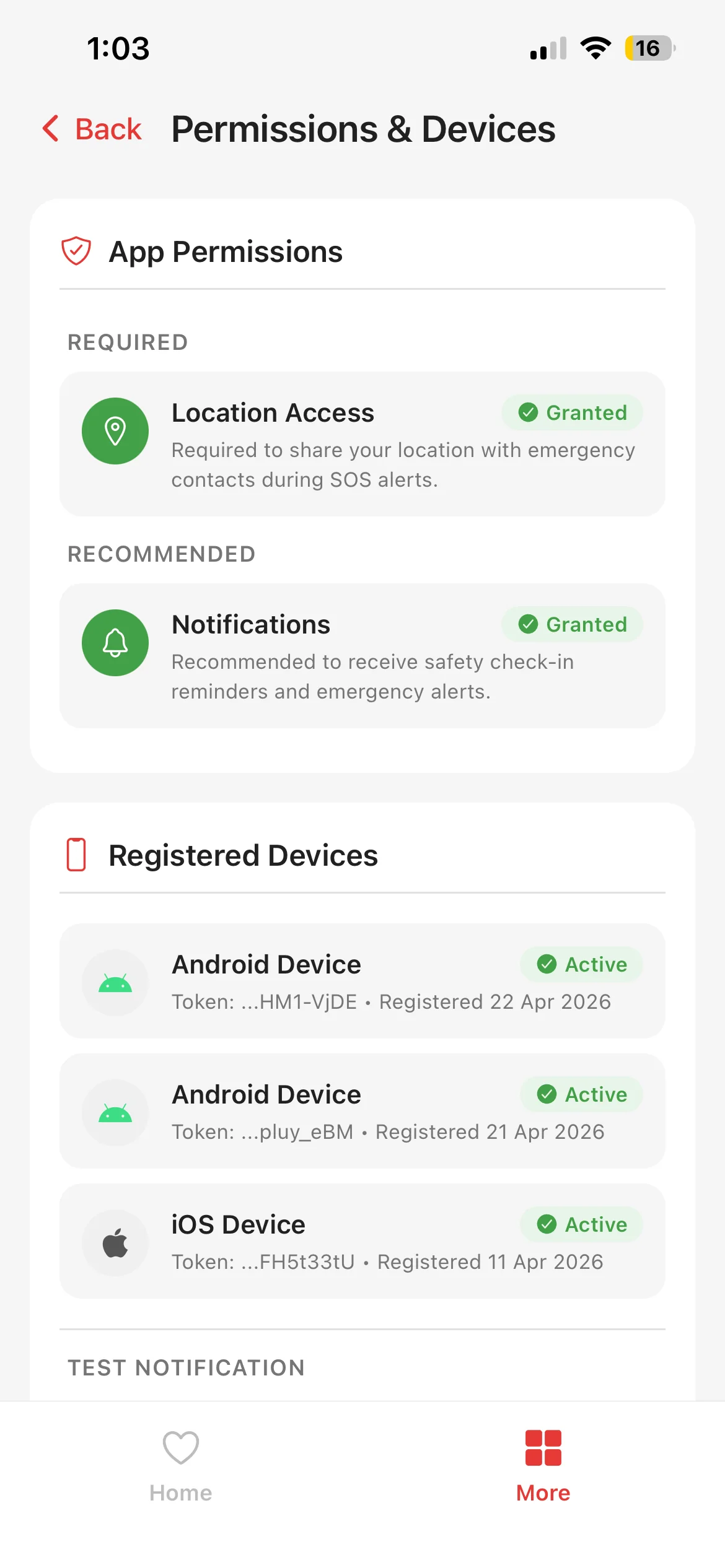
Users configure the exact daily reminder time, grant the permissions the app needs (location, notifications), and see every device registered on their account, all from inside the mobile app, with clear Granted and Active status tags.
Custom Daily Reminder
A single-field schedule picker ("Daily reminder at 2:20 PM") plus a HOW IT WORKS explainer covering reminder, confirm, and escalation.
Permission Transparency
Location Access and Notifications are each shown with a Required or Recommended tag and a one-line reason. No hidden asks.
Registered Devices
Every iOS or Android device on the account is listed with token, registration date, and Active status, so users can spot unfamiliar logins instantly.
Account Management
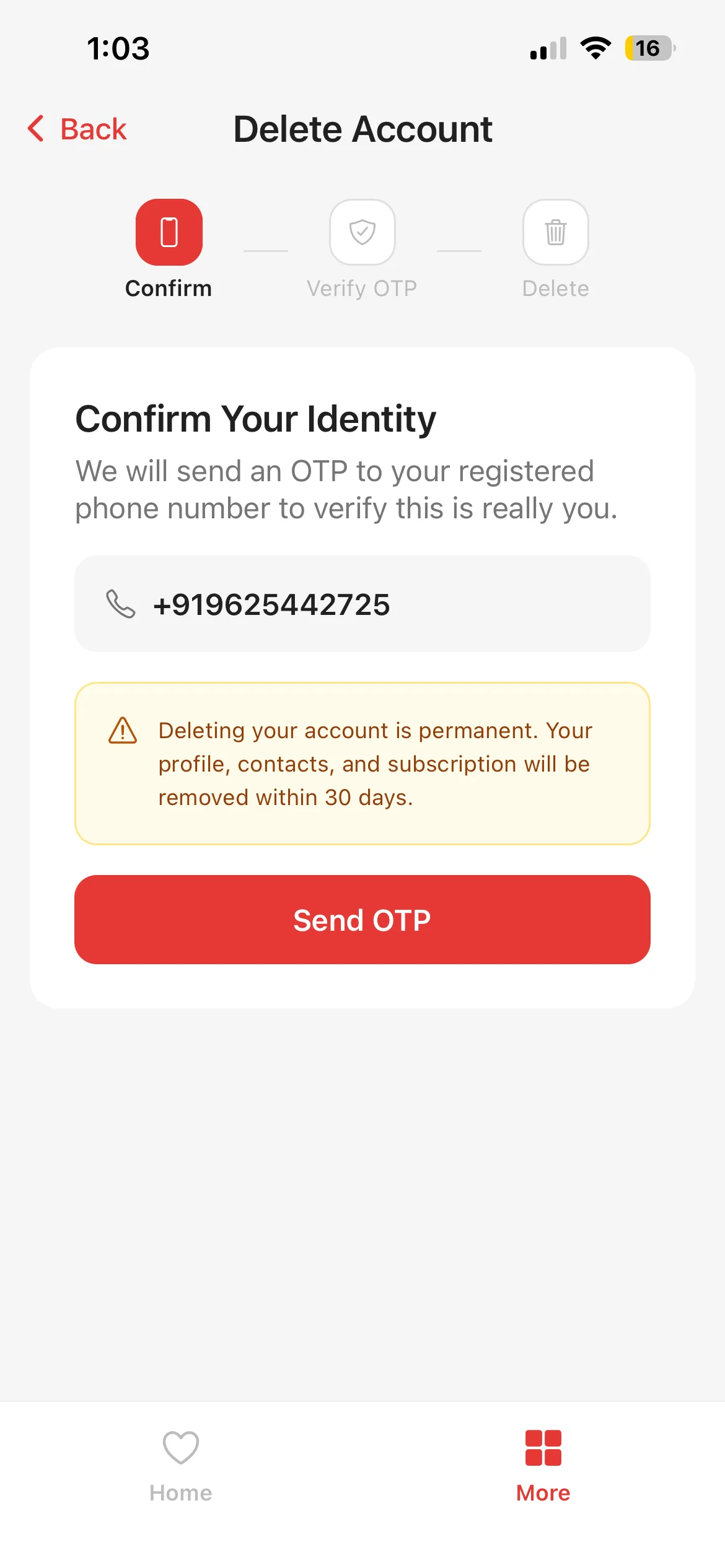
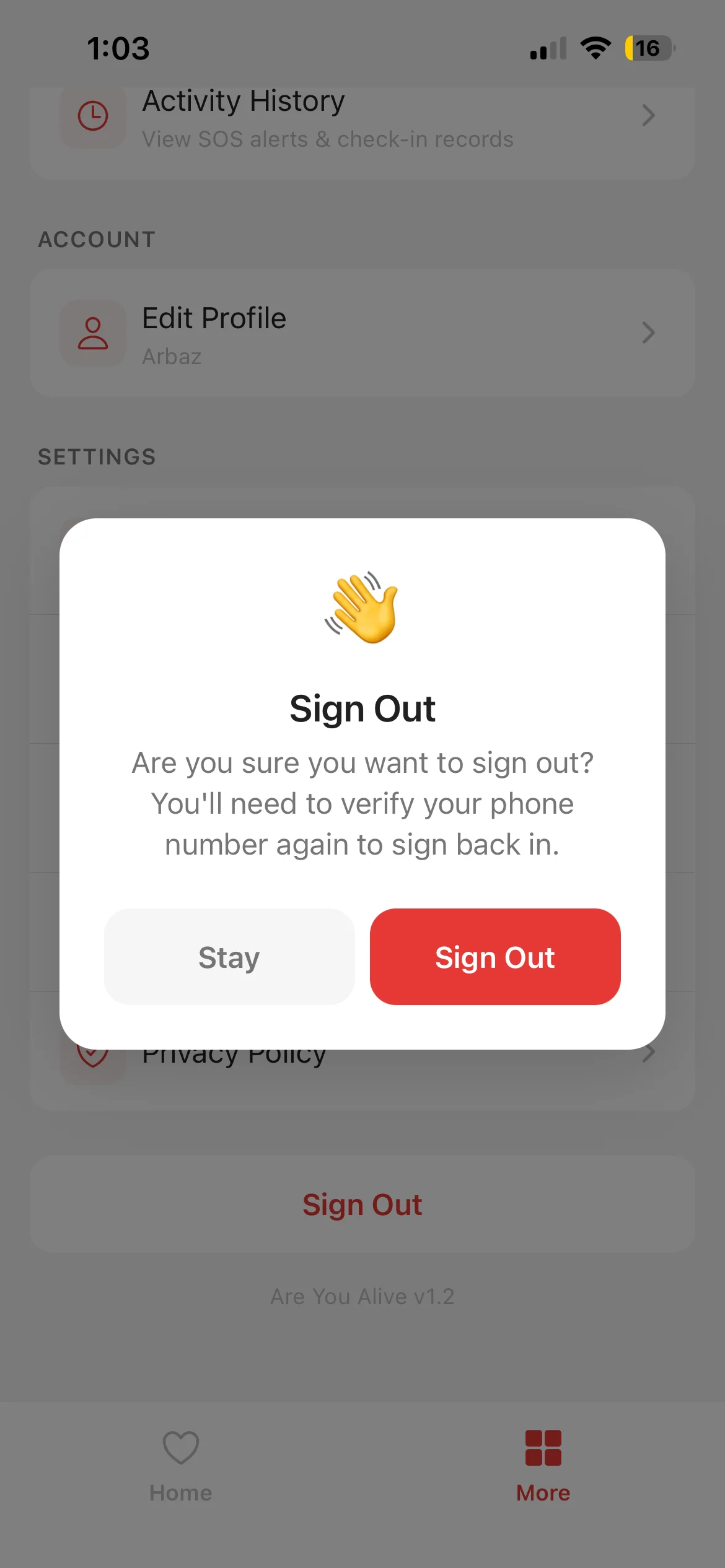
Sensitive actions, like permanently deleting the account or signing out, are gated behind friction-first confirmation flows. Delete Account requires an OTP sent to the registered number; Sign Out re-prompts the user to verify their phone before they return.
OTP-Gated Account Deletion
"Deleting your account is permanent. Your profile, contacts, and subscription will be removed within 30 days." A fresh OTP Send follows before anything is destroyed.
Sign Out Confirmation
A two-choice Stay / Sign Out modal warns users they'll need to re-verify their phone number, preventing accidental logout on a shared device.
30-Day Recovery Window
Deleted accounts enter a 30-day soft-delete window, so accidental deletes stay recoverable before data is truly purged.
Services behind this build
Want to Build Something Like This?
From mission-critical safety apps to enterprise SaaS, our team builds full-stack, production-ready platforms end-to-end.